Imagine a central library for your business’s digital files, but smarter. That’s a document management system. It’s a dedicated space to organize, secure, and manage all your vital information—contracts, invoices, client records, and employee files. Instead of wrestling with messy paper stacks or a confusing maze of folders on a shared drive, you get an intelligent, searchable hub that puts everything at your fingertips, giving you back precious time and peace of mind.
Escape the Daily Paper Chaos and Reclaim Your Day
If your desk is a chaotic landscape of invoices, receipts, and contracts, you’re not alone. For countless small business owners, the daily grind is a hunt for that one elusive document, a battle against productivity-killing clutter, and a nagging worry about whether sensitive files are truly secure. This isn’t just an inconvenience; it’s a major source of stress.

This constant paper chase creates real bottlenecks in your workflow, can delay payments, and adds a layer of stress to your day you just don’t need. Every minute spent digging for a file is a minute stolen from talking to a client, planning your next big move, or simply focusing on the work you love. It’s the ultimate time-waster.
The Hidden Costs of Disorganization
It’s surprising how many businesses remain stuck in the paper trap. Many small and medium-sized businesses recognize their document problem but stick with manual methods because it’s what they know. A recent study found that 45% of SMBs still use paper records for crucial customer and vendor information. Even more concerning, a full 11% have no system at all.
The financial toll is real, too. Small businesses spend an average of $1,000 per month on printing alone. This reliance on manual, paper-based work creates a cycle of inefficiency that eats away at both your profits and your sanity.
A Smarter, Calmer Way to Work
Now, picture a different reality: what if you could swap those clunky, overflowing filing cabinets for a perfectly organized digital space where any document is just a search away? That’s the relief a document management system (DMS) delivers. It’s not about adding complex tech; it’s about eliminating chaos and restoring focus.
A good DMS gives you the power to:
- Find anything in seconds. No more frantic searches through folders, email attachments, or desk drawers.
- Secure your sensitive information. With user permissions and encryption, your files are safer than they’d ever be in a locked cabinet.
- Access documents from anywhere. Whether you’re in the office, at home, or meeting a client, your files are always with you.
- Automate the soul-crushing admin. Imagine a system that files invoices, sorts receipts, and names documents for you. A DMS can handle those repetitive tasks, freeing you up for more important work.
A document management system transforms your document workflow from a source of daily stress into a valuable asset. It’s all about getting your time back and gaining the peace of mind that comes with total organization.
Bringing a document management system for small business into your operations is a huge step toward becoming more efficient, secure, and ready to grow. By leaving the paper chaos behind, you’re building a much stronger foundation for the future. Dive deeper by checking out our guide on the benefits of a paperless document management system .
So, What Exactly Is a Document Management System?
Let’s cut through the tech jargon. A document management system (DMS) is your business’s ultimate digital filing cabinet, but with a brain. It’s much more than a simple cloud folder for dumping files. A DMS is your smart assistant—it doesn’t just store documents; AI helps it actively organize, secure, and find them for you in a snap.
Imagine you need a specific client contract from two years ago. The old way meant digging through a chaotic mess of emails and poorly labeled folders, a frustrating 15-minute hunt. With a DMS, you just type the client’s name into a search bar. Instantly, the system pulls up the right contract, along with every related invoice and project brief. That’s the real magic—it creates one central, reliable home for all your business information, saving you time and stress.
It’s Not Just Another Cloud Drive
A document management system for small businesses is in a different league than basic cloud storage. It’s packed with intelligent features designed to solve those daily headaches that kill productivity. This is where you graduate from simply storing files to truly managing them with confidence.
Take version control, for example. We’ve all seen files named Contract_Final_v2_final_final.docx. That confusion is a classic pain point. A DMS eliminates it for good. It ensures your team always works from the most current document and lets you easily review or restore older versions. This simple feature can save you from costly mistakes and give you peace of mind.
How a DMS Delivers Practical Wins Every Day
Let’s ground this in reality with actionable examples every small business owner will recognize. These are the kinds of stressful, time-sucking tasks that a DMS turns into quick, simple wins.
- Making Tax Season a Breeze: End the last-minute panic. Throughout the year, you can scan and upload receipts and invoices as they arrive. The system’s AI can read the documents, tag them, and file them automatically, making tax prep unbelievably simple and stress-free.
- Keeping Remote Work Secure: Need to share a sensitive project plan with a freelancer? A DMS lets you control exactly who sees what with granular access permissions. You can grant view-only access to a specific folder for a limited time, keeping your confidential information locked down. This is security that delivers peace of mind.
- Pulling Up Client Info Instantly: A client calls with a question about a project from last year. You can pull up their entire history—contracts, emails, project files—in seconds. This allows you to provide the kind of quick, professional service that builds loyalty.
A DMS finally ends the chaos of having critical files scattered across desktops, email attachments, and a dozen different cloud folders. It gives you a single source of truth you can rely on, boosting productivity for your whole team.
At the end of the day, a document management system isn’t just about storage. It’s about building a more efficient, secure, and organized business. It removes the friction from hunting for information, freeing you and your team to focus on what really matters: growing your business.
How a DMS Truly Changes Your Business for the Better
Think of a document management system as more than just a digital filing cabinet. It’s the central hub where your business operations get a serious upgrade. We’re not just talking about storing files; we’re talking about fundamentally changing how your small business runs. The end game? Soaring productivity, massive time savings, and some much-needed peace of mind.

This isn’t just a niche trend; it’s a mainstream shift. In 2023, 42.5% of European Union enterprises were already using the cloud for file storage. Globally, 76% of businesses say they’re picking up the pace on adopting document management software. They see it for what it is: a crucial tool for working smarter and boosting the bottom line. You can dig deeper into these document management trends to see where things are headed.
Get Your Time Back with Smart Automation
Let’s be honest, how much of your day is wasted on repetitive, manual tasks? Chasing invoices, waiting on approvals, and filing receipts are all time-sinks that pull you away from what actually grows your business. A DMS with AI-powered automation is like having a digital assistant who works 24/7 without a single complaint.
Here’s a practical example: a vendor emails an invoice. An automated workflow can immediately:
- Recognize it’s an invoice using AI.
- Extract key info like the vendor name and amount due.
- Route it to the right person for approval.
- File the approved invoice in the correct folder, ready for payment.
This one simple, automated process can easily save your team dozens of hours every single month. It also slashes human error and helps you pay bills on time, every time, reducing financial stress.
Watch Your Team’s Productivity Soar
Ever feel like your team is on a constant treasure hunt for information? They’re not alone. Studies show that knowledge workers can spend nearly 20% of their workweek just searching for internal documents. A solid DMS gives that time right back, a massive boost to productivity.
With powerful search tools, any document can be found in seconds. No more digging through messy shared drives, email chains, or—worst of all—that one person’s desktop. A quick search for a client’s name or a project number pulls up every single related file. This empowers your team to focus on their real jobs: helping customers, closing deals, and driving the business forward.
To see the difference in black and white, let’s compare a few everyday tasks.
Manual vs. DMS Workflow Comparison
| Task | Manual Method (The Old Way) | With a DMS (The New Way) |
|---|---|---|
| Onboarding a New Client | Printing forms, manually creating folders, scanning signed documents, and emailing the team. (1-2 hours) | Client fills out a digital form, a folder is automatically created, and all documents are filed and tagged instantly. (15 minutes) |
| Processing an Invoice | Receive via email, print, walk it to a manager for a signature, scan it, and file it manually. (20-30 minutes per invoice) | Invoice is automatically captured, routed for digital approval, and filed without anyone lifting a finger. (2-3 minutes) |
| Finding a Past Contract | Search through email archives, shared drive folders, and maybe even physical filing cabinets. (15 minutes to 1 hour) | Type the client’s name or a keyword and find the exact document in less than 10 seconds. |
| Preparing for an Audit | Frantically gathering physical receipts, invoices, and bank statements from various locations. (Days or weeks of stress) | Run a report to pull all relevant, tagged documents into a secure, shareable folder. (Under 5 minutes) |
The contrast is pretty stark, isn’t it? The time savings and reduction in manual effort add up incredibly fast.
Finally Gain Some Real Peace of Mind
Beyond just making things faster, a DMS delivers a level of security that physical papers and basic cloud storage like Dropbox simply can’t offer.
Peace of mind comes from knowing your most critical business information is secure, accessible, and protected from disaster. A fire or flood can destroy a filing cabinet, but it can’t touch your cloud-based files.
You get to breathe easier on a few different fronts:
- Bank-Level Security: Your most important data—contracts, HR files, financial reports—is locked down with encryption and strict access controls. You decide exactly who can see, edit, or share any given document.
- Simplified Compliance: If you’re in a regulated industry, audits become way less painful. A DMS provides a crystal-clear audit trail, showing who touched what document and when.
- Disaster Recovery: All your files are safely backed up in the cloud. A local disaster like a fire, theft, or even a spilled coffee on a server won’t wipe out your business records. You can get back up and running from anywhere.
What to Look For in a Small Business Document Management System
When you start shopping for a document management system, the sheer number of options can be dizzying. To cut through the noise, focus on the handful of features that will actually solve your problems, give you back time, and help you sleep better at night.
Think of this as your practical checklist. We’ll walk through the features you absolutely need and explain why they’re so important for a small business.
Turn Scanned Paper into Searchable Data with AI
Ever scanned an invoice or a client agreement, only to realize you can’t search for text within the PDF? It’s a common pain point that makes your digital file just as useless as a paper one. This is where Optical Character Recognition (OCR), powered by AI, comes in.
OCR is an intelligent feature that reads the text on any image or scanned PDF and makes it fully searchable. Suddenly, that jumble of scanned receipts and contracts becomes a searchable archive.
Think of it this way: AI-powered OCR creates a private Google just for your business files. You can type in a client’s name, an invoice number, or a specific phrase, and the system will instantly find it for you—even if it’s buried on page 12 of a scanned document. It’s a simple feature that saves hours of digging and frustration.
Find Documents Based on What’s Inside
A great document management system for small business doesn’t just rely on filenames. After all, who remembers what they named a file six months ago? Modern systems use intelligent search to look inside every document for the information you need.
This means you can find a file even if you’ve completely forgotten its name. Just search for “marketing budget Q3,” and the system will pull up every spreadsheet, report, and presentation that mentions those words. It’s a much more intuitive way to work that dramatically boosts productivity.
Put Your Repetitive Tasks on Autopilot
As a small business owner, you’re already doing the work of three people. The last thing you need is more soul-crushing admin. This is where automation workflows can feel like hiring a new employee who never sleeps or makes mistakes. This is the key to massive time savings.
Imagine this practical workflow: a new client signs a contract.
- You upload the signed document.
- An automation immediately notifies the project manager that it’s time to start.
- The system then automatically files the contract into the right client folder.
- Finally, it creates a task for your bookkeeper to send the first invoice.
All of this happens instantly and without manual effort. Automating these small steps prevents things from getting missed, cuts down on errors, and lets your team focus on work that actually grows the business. If you’re curious about different platforms, exploring guides on the best document management software can show you how others tackle automation.
Lock Down Your Sensitive Information
Last but certainly not least, security is absolutely critical. Your business deals with sensitive data every day, from customer details to financial records. A good DMS acts like a digital vault, protecting your information with robust security and compliance features for ultimate peace of mind.
Here’s what to insist on:
- Granular Access Controls: This is your digital bouncer. It lets you control precisely who can see, edit, or delete certain files. You can ensure only HR can view employee files or that a freelancer can only access documents for their specific project.
- Audit Trails: Think of this as a security camera for your files. It creates a detailed log of every single action—who opened a document, who made a change, and exactly when they did it. This is crucial for accountability and for meeting any industry compliance rules.
- Data Encryption: This feature scrambles your data so that it’s completely unreadable to anyone without authorization, both while it’s stored and when it’s being sent. It’s the same technology banks use to protect your money.
A Practical Checklist for Getting Started
Knowing you need a better way to handle documents is the easy part. Actually making the change can feel overwhelming, but it doesn’t have to be a massive, all-consuming project.
The trick is to break the process down into simple, actionable steps. Here’s a straightforward roadmap for choosing the right system and rolling it out without the usual headaches.
Choosing the Right System
Before you look at software demos, you need to look inward. A little self-assessment goes a long way in ensuring you pick a tool that actually fits your business.
Pinpoint Your Real Pain Points: List your biggest document frustrations. Is it the black hole where old invoices disappear? The endless back-and-forth to get a contract signed? Or the sheer chaos of your shared drive? Naming your pain points helps you zero in on features that will deliver immediate relief and time savings.
Define Your Must-Haves: Not all bells and whistles are essential. For most small businesses today, mobile access is non-negotiable—you need to handle things on the go. Also, think about integrations. Does the system play nice with the accounting or project management software you already use?
Get a Handle on the Cost: Look for simple, transparent pricing. A predictable monthly subscription is usually best for a small business budget. Just make sure you know exactly what you’re getting and watch out for hidden fees tied to storage caps or adding more users.
Your Implementation Plan
Once you’ve made your choice, a smart rollout plan separates a smooth transition from a frustrating one. The secret? Start small and build momentum.
Start with One Department: Don’t try to switch everyone over at once. Pick one area that feels the most pain—accounting is often a perfect candidate with its constant flood of invoices and receipts. A quick win here proves the concept and gets others excited about what’s possible.
Focus on New Documents First: Forget that mountain of old paper files for now. The simplest way to start is to commit to one rule: all new documents go into the system from day one. This builds the right habits immediately and stops the pile from getting bigger. You can scan the old stuff later, as needed.
Get Your Team On Board: This isn’t just another piece of software; it’s a tool to make their jobs easier. Show them how it cuts out tedious work like manual filing or hunting for signatures. A quick training session that highlights the productivity and time-saving perks will do wonders for adoption.
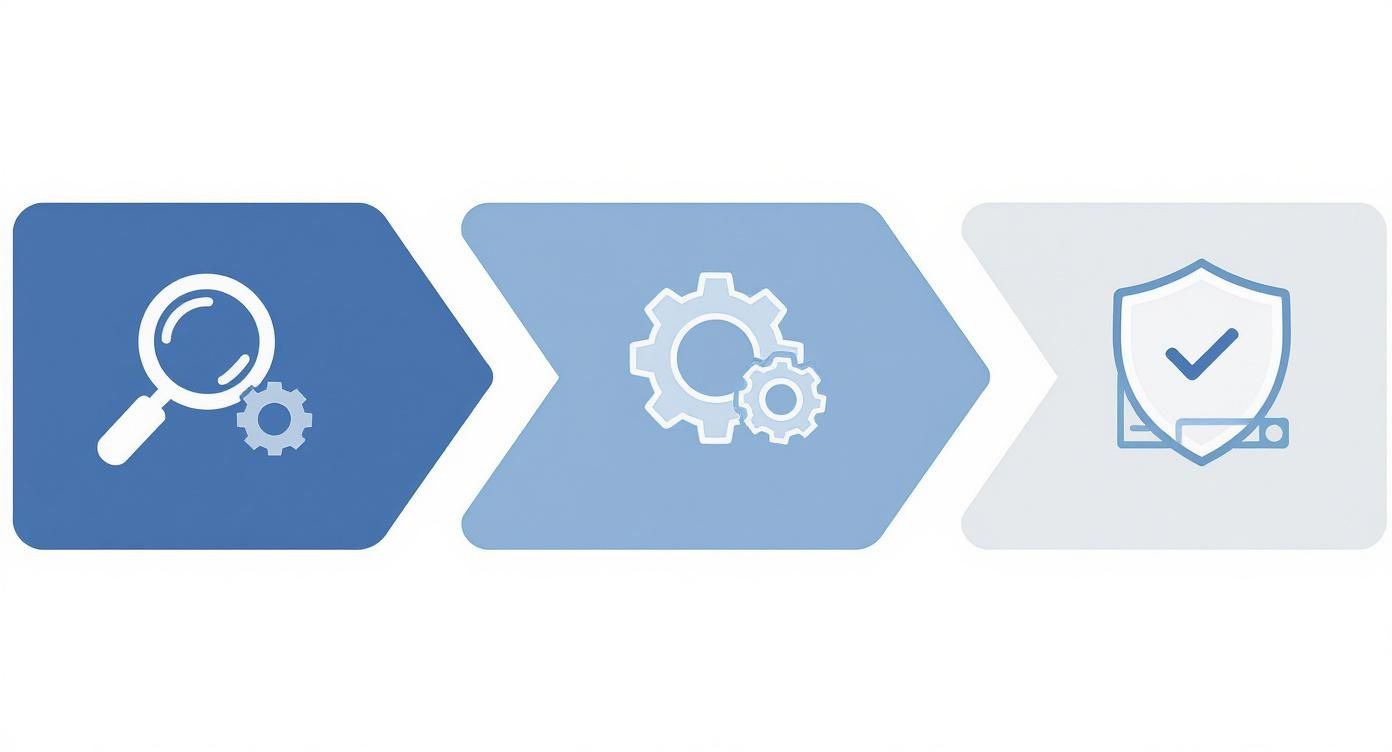
This process is what it’s all about: turning chaos into a system where you can find what you need, automate the boring stuff, and keep your critical information safe.
This shift is why the document management market is booming. Valued at USD 8.70 billion in 2024, it’s expected to climb to USD 10.15 billion by 2025. This explosive growth is happening because businesses finally see these tools not as a cost, but as a direct path to better efficiency and bigger profits. You can dig into the research behind this market growth to learn more.
Meet Fileo: A Document Management System Built for You
Theory is great, but seeing a tool solve your actual problems is what really counts. We’ve talked about the headaches of manual filing and what a solid document management system can do. Now, let’s look at a solution designed from the ground up for small businesses like yours: Fileo.

We created Fileo because we get it—small business owners are stretched thin. You don’t have time to wrestle with complicated software or go through weeks of training. You need a tool that acts like a smart, reliable assistant, handling the tedious admin so you can get back to running your business. That’s exactly what Fileo delivers: powerful features wrapped in a simple, intuitive package.
How Fileo Powers Your Productivity
Picture this: you start your morning with a clean, organized digital workspace instead of a mountain of paperwork. That’s the clarity and peace of mind Fileo brings.
Here’s a practical, time-saving example. You’re out for a client lunch and pay with the company card. Instead of shoving the receipt into a pocket where it will be lost or forgotten, you just snap a photo with your phone and send it to Fileo.
Instantly, Fileo’s AI kicks in:
- It sees that the document is a receipt.
- It renames the file automatically with the vendor name and date.
- It drops it right into your “Monthly Expenses” folder.
Before you’ve even pulled out of the parking lot, your bookkeeping is done. No more paper pile-ups, no more frantic searches at the end of the month. It’s this kind of simple, automated process that gives you back minutes, which quickly add up to hours every single week.
Intelligence That Works the Way You Do
At its heart, Fileo is powered by a smart AI engine that makes manual filing obsolete, a common pain point for small businesses. Remember the frustration of inconsistent folder names or spending way too long looking for a single document? Fileo’s intelligent folder mapping puts an end to that. It actually learns how you organize things and ensures every new document goes exactly where it belongs, every time.
Fileo isn’t just a digital filing cabinet where documents go to be forgotten. It’s an active system that brings order to your digital chaos, giving you a reliable workflow that saves time and cuts down on stress from day one.
Later in the day, a new partner sends over a contract. You upload it, and Fileo immediately files it under the correct project. A client calls with a question about an old invoice? Fileo’s search function finds it in seconds by reading the content of the document, not just the file name.
This is exactly what a document management system for small business should feel like—effortless, automatic, and dependable. It’s not just about the tech; it’s about giving you the freedom to run your business with total confidence.
See how Fileo can make a real difference for your company by exploring our solutions designed for small business .
Got Questions About Document Management?
Thinking about switching to a new system is bound to bring up a few questions. When I talk to small business owners about moving to a document management system, the same worries always surface: Can I afford it? Is it secure? And is this going to be a massive headache to set up?
Let’s clear the air and tackle these concerns directly. The reality is that modern systems are built to be affordable, secure, and surprisingly painless to get rolling.
Is This Really Affordable for My Small Business?
Yes, it absolutely is. The old model of buying expensive software with a huge upfront cost is a thing of the past. Today’s cloud-based systems, like Fileo, run on a simple monthly subscription that’s easy to fit into a small business budget.
Think about what you’re already spending on paper, printer ink, and maybe even a storage unit. When you add that up, the cost of a DMS often looks like a bargain. But the real win is getting your time back. All those hours your team spends digging through file cabinets or hunting for a misplaced invoice? Getting that time back is where you’ll see a return that goes straight to your bottom line.
How Secure Are My Documents in the Cloud?
This is probably the most important question, and I get it. The truth is, your documents are almost certainly safer in a professional DMS than they are in a locked filing cabinet or on an office computer. Reputable providers build their entire business on protecting your data with top-tier security.
Here’s what that typically includes:
- End-to-end data encryption, which essentially scrambles your files so they’re unreadable to anyone without permission.
- Multi-factor authentication to make sure that only the right people can access the system.
- Granular access controls, allowing you to decide precisely who can see, change, or share any given document.
Think of a professional document management system as a digital Fort Knox for your files. It provides a level of security that would be incredibly difficult and expensive for a small business to build on its own, giving you peace of mind and protecting you from theft, accidents, or disasters.
Is Getting Started Going to Be a Huge Hassle?
The thought of scanning mountains of paper can feel overwhelming, but it’s much more manageable than it sounds. You don’t have to digitize everything overnight. In fact, I always recommend a “start from today” strategy for a stress-free transition.
Just start by putting all your new documents into the system. Right away, you’ve stopped the paper pile from getting any bigger and you start building a new, productive habit. For all the old stuff in those filing cabinets, just scan a document when you actually need to access it. The idea is to make steady progress, not achieve perfection on day one.
Ready to stop chasing paper and bring some calm and productivity to your business? Fileo is the AI-powered document management system built to end manual filing for good. See how Fileo can change the way you work .