Let’s be honest, we’ve all been there: staring down a mountain of paperwork, desperately hunting for that one crucial file. The stress of misplaced invoices, outdated contracts, and unsecured sensitive data is a familiar headache for many businesses. It’s a slow, steady drain on productivity and peace of mind.
That’s where an electronic document management system (EDMS) comes in. Think of it less like software and more like a super-smart digital filing cabinet for your entire organization. It’s designed to bring order to the chaos, giving you back your time and letting you focus on what truly matters.
End the Chaos of Lost Paperwork
If your team is constantly digging through filing cabinets or navigating messy shared drives, you know the frustration. This isn’t just an inconvenience; it’s a productivity killer. The pain point of manual document handling is universal, but it doesn’t have to be your reality.
An EDMS creates a central, organized hub for everything. It’s about swapping that overflowing closet for a clean, digital library where every document is tagged, tracked, and searchable in an instant. This is a strategic move to reclaim lost hours and restore your team’s focus.
From Manual Frustration to Digital Freedom
The daily struggle with manual filing is a universal pain point. Trying to find a specific client agreement might take a few minutes—or a few hours. Sharing a file with a remote teammate often involves a clunky process of scanning, emailing, and then losing track of which version is the latest.
These small holdups add up, draining productivity. An EDMS cuts through these problems by creating a single source of truth for every file, making collaboration seamless and simple.
An EDMS doesn’t just store your documents; it gives them intelligence. It transforms static files into active assets that work for you, automating tedious tasks and putting the right information at your fingertips, exactly when you need it.
This shift is about more than just going paperless. It’s about fundamentally changing how your business runs. The global market for these systems is booming, with a projected value of up to USD 8.70 billion. This surge is fueled by companies looking for massive time savings and better support for remote work. You can read the full research about electronic document management system market trends to learn more.
The True Cost of Disorganization
The hidden costs of messy paperwork go way beyond paper and ink. Think about the time your employees waste just looking for information. One study found that information workers can spend up to two hours per day simply searching for the documents they need to do their jobs.
An electronic document management system tackles this directly by offering:
- Instant Search: Find any document in seconds. Imagine typing “Q3 invoice for Acme Corp” and getting it immediately.
- Version Control: No more confusion. Everyone always has the most up-to-date draft, saving you from costly mistakes.
- Secure Access: You decide exactly who can see, edit, or share sensitive files, giving you complete peace of mind.
By solving these core problems, an EDMS lets your team stop managing files and start driving results.
Core Features That Transform Your Workflow
An electronic document management system does more than just stash your files away; it actively makes your workday better by turning digital clutter into a real asset. The magic is in its core features, each built to tackle those specific, everyday headaches at the office. These aren’t just techy add-ons—they are practical solutions for saving time, boosting productivity, and giving you some much-needed peace of mind.
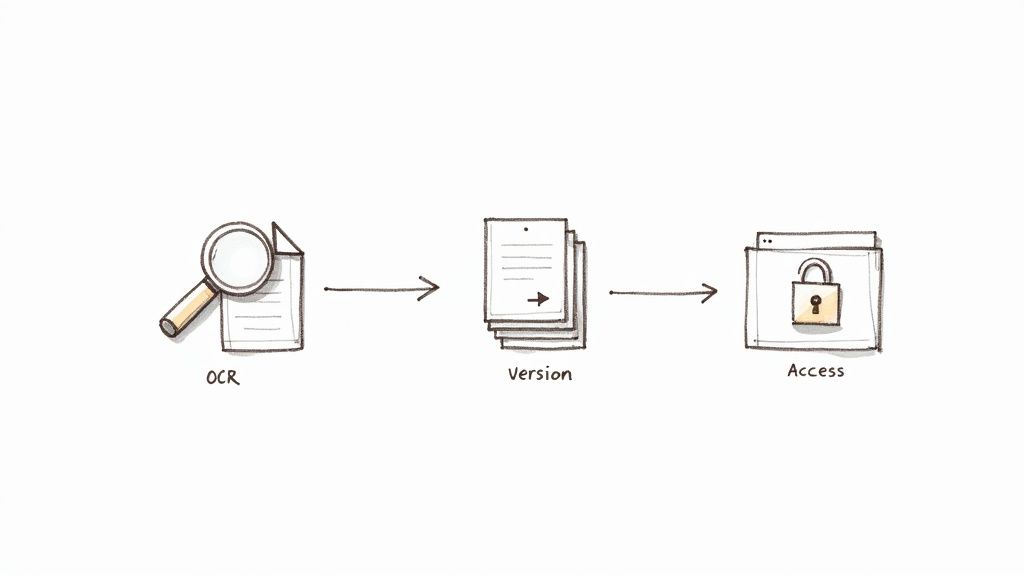
Let’s dive into the key features that make this all happen. Once you see how they work, you’ll understand exactly how an EDMS can smooth out your daily operations.
Unlocking Content with Optical Character Recognition
Ever had to find one specific detail buried in a 50-page scanned PDF? Without the right tool, you’re stuck manually reading every single line. This is where Optical Character Recognition (OCR) completely changes the game.
OCR technology essentially acts as a translator. It scans images of text—like a photo of an invoice or a scanned contract—and converts it into actual, searchable data. In an instant, that static picture becomes a fully interactive, intelligent file.
Now you can find an invoice from six months ago just by searching for the client’s name. What used to take ages of frustrating digging now takes seconds. This one feature is a cornerstone for reclaiming lost time.
Intelligent Indexing and Search
Once your documents are readable, the next step is organizing them so you can find anything, fast. An EDMS uses intelligent indexing to automatically tag and categorize files based on what’s inside them. Think of it as a super-powered librarian who’s read every book and knows exactly where every piece of information is located.
This goes way beyond basic folders. You can search by:
- Keywords: Instantly find every document related to the “Q3 Marketing Campaign.”
- Dates: Pull up every contract signed in the last quarter.
- Metadata: Search for files created by a specific teammate or for a particular client.
This ability to pinpoint information instantly gets rid of the guesswork and wasted time spent navigating messy shared drives.
Version Control for Perfect Clarity
Working from an outdated document is a recipe for disaster. We’ve all been there—someone on the team accidentally edits an old draft of a proposal, and chaos ensues. Version control puts a permanent end to that confusion.
This feature automatically logs every single change made to a document, creating a crystal-clear history of edits. Each time a file is updated, the system saves it as a new version while keeping all the old ones neatly archived.
This ensures everyone on your team is always working from the single, most current version of a file. No more conflicting copies, no more “final_v2_final_I_swear” filenames, and no more costly mistakes based on old information.
This brings incredible peace of mind, especially when you’re collaborating on critical documents like legal agreements or financial reports. You always have a full audit trail of who changed what and when, ensuring total transparency.
Secure Access Controls
Your documents hold sensitive information, and protecting them is non-negotiable. An EDMS gives you granular access controls, acting like a digital gatekeeper for your data. You get to decide exactly who can see, edit, share, or delete specific files and folders.
For example, you can give the finance team full edit rights to financial records while limiting the marketing team to view-only access. Or you could share one specific contract with an outside lawyer without exposing your entire system. This kind of security is simply impossible with filing cabinets or basic cloud storage. A proper EDMS makes your data security proactive, not reactive. You can learn more about securing your files by checking out our guides on cloud document management software .
What an EDMS Actually Does for Your Business
It’s easy to get lost in the technical features of a system, but what really matters is how it makes daily work better. Let’s talk about the real-world wins you get from a good electronic document management system. This isn’t just about organizing files; it’s about eliminating daily headaches and turning frustrating bottlenecks into smooth, efficient workflows.
Think about your sales team racing to close a big deal. Instead of digging through a chaotic shared drive for the latest proposal, they can pull it up in seconds with a quick search. This isn’t a small thing—it can help close deals up to 20% faster simply because the right information is always ready to go.
Get Your Time Back and Watch Productivity Soar
The first thing most teams notice is the end of the “document hunt.” We’ve all been there, wasting precious minutes—or even hours—looking for that one specific file. An EDMS gives that time back.
That reclaimed time directly boosts your bottom line. When your people aren’t stuck dealing with administrative friction, they’re free to focus on what actually moves the needle: serving clients, thinking strategically, and innovating.
An EDMS doesn’t just organize your files; it organizes your team’s day. By removing the small, constant hurdles of manual document management, you unlock a calmer, more productive work environment where everyone can perform at their best.
Take a simple invoice approval. Manually, that could mean printing a paper copy, walking it over for a signature, scanning it, and emailing it, only for it to get buried in someone’s inbox. An EDMS workflow routes it digitally for instant review and approval, cutting down delays and making sure vendors get paid on time.
Sleep Better at Night with Rock-Solid Security
Productivity is a huge win, but the peace of mind that comes with real security is invaluable. Let’s be honest, filing cabinets and messy shared drives are risky. They’re vulnerable to everything from prying eyes to disasters like a fire or flood. An EDMS acts as a secure, central vault for your most important information.
With tight access controls, you decide exactly who sees what. Sensitive files, like HR records or financial reports, are locked down so only authorized people can view them. This kind of granular control isn’t just good practice; it’s essential for meeting compliance regulations.
Here’s how an EDMS strengthens your security:
- Audit Trails: You can see who touched a document and when. Every view, edit, or download is logged, creating a clear history for total accountability.
- Automated Backups: Your documents are backed up regularly and automatically, protecting you from hardware failure or accidental deletions.
- Compliance Support: It becomes much easier to enforce retention policies required by regulations like HIPAA or GDPR.
Finally Get Everyone on the Same Page
An EDMS creates a single source of truth for your entire organization. No more confusion over which version of a contract is the final one or whether you’re looking at an outdated report. Everyone works from the same, most current document.
This is a game-changer for collaboration, especially for remote and hybrid teams. And with modern cloud-based systems, these benefits are easier to get than ever. Companies that switch to a cloud DMS often report cost reductions of up to 30% and process documents nearly 50% faster.
This is especially true in industries like healthcare, where electronic workflows have been shown to speed up record handling by 40-50% while tightening up HIPAA compliance. You can explore more data on the growth of cloud document management on mordorintelligence.com . It all adds up to a business that just runs better, day in and day out.
How AI Is Changing the Document Management Game
The standard features in an electronic document management system are great, but the next big step forward is already here. Artificial intelligence (AI) is turning your digital filing cabinet into a smart, proactive assistant that handles the most draining and repetitive tasks for you, solving the biggest pain points of manual work.
Think of it like having a digital mailroom clerk who never sleeps. This AI assistant can automatically sort incoming invoices, pull out key details like due dates and totals, and send them to the right person for approval—all without anyone lifting a finger. That’s the real power of AI-driven automation.
This infographic breaks down the core benefits that an AI-powered system brings to your everyday work.
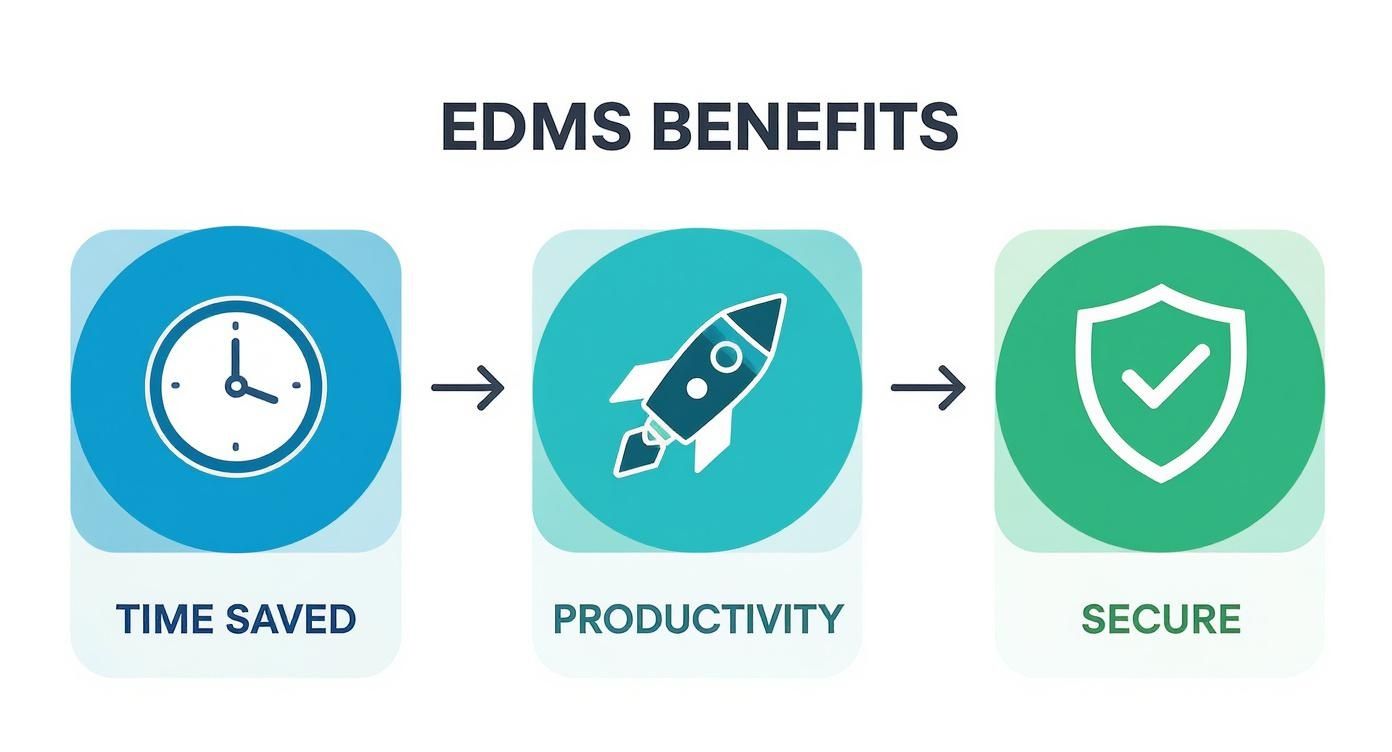 You can see how automating manual work directly gives you back valuable time, which in turn boosts productivity and makes the whole business more secure.
From Manual Drudgery to Zero-Touch Processing
For many businesses, the real headache isn’t just storing documents; it’s all the manual work needed to process them. Someone has to open every single file, figure out what it is, rename it correctly, and drag it to the right folder. This is exactly the kind of tedious work that AI is designed to solve.
This whole idea is often called zero-touch processing. It means that from the moment a document hits your system, AI takes over every single step. You can just upload a messy batch of files—invoices, receipts, contracts, you name it—and the system sorts everything out on its own.
By getting rid of manual data entry and sorting, AI-powered systems can slash document processing times by over 80%. This frees your team from low-value, repetitive work and lets them focus on the kind of strategic thinking that actually matters.
This shift brings incredible peace of mind. You no longer have to worry about the inevitable human errors, like misfiled documents or typos in data entry. The system just gets it right, every single time.
Practical Examples of AI in Action
So, how does this actually work day-to-day? An AI-powered system doesn’t just see a PDF; it reads and understands the content inside it.
Here are a couple of real-world examples:
- Intelligent Invoice Processing: An AI can spot an invoice, grab the vendor’s name, invoice number, and total amount, and then automatically rename the file to “VendorName - Invoice# - Date.pdf” before filing it perfectly in the “Accounts Payable” folder.
- Automatic Contract Sorting: When a new client contract comes in, the AI knows it’s a contract, extracts the client’s name and signing date, and files it under the correct client folder. It can even flag it for a final review by your legal team.
This kind of powerful automation used to be something only huge corporations could afford, but modern tools are now making it accessible for businesses of all sizes. The impact on productivity is immediate, giving your team more time to focus on growing the business. To learn more about how this technology is evolving, you can explore the benefits of an AI document management system .
How to Choose the Right EDMS for Your Business
Deciding to bring in an electronic document management system is a huge step toward a more organized, less chaotic workplace. But with so many options out there, how do you find the one that’s a perfect fit? The goal isn’t just to buy software with the most bells and whistles; it’s to find the system your team will actually use and love.
The secret to choosing the right EDMS is to start with your biggest headaches. Are you constantly chasing down lost invoices? Is collaborating on contracts a total nightmare? Pinpointing where things are truly broken gives you a clear roadmap of what you actually need, ensuring your investment makes everyone’s job easier.
Start by Assessing Your Team’s Needs
Before you even start looking at demos, take a good, hard look at your current workflows. The best system for your business is one that solves your real-world problems without adding a bunch of complexity you don’t need. What works for a massive corporation will likely be overkill for a small team, and a system designed for a creative agency might not fit a law firm.
To get started, ask yourself these simple questions:
- What is our biggest document-related headache? Is it the sheer time wasted searching for files? The constant confusion over which version of a document is the latest? Or the security risk of having sensitive files scattered everywhere?
- How does our team actually work together? Are you all in the office, fully remote, or a hybrid of the two? Your system has to support the way your team already collaborates.
- What tools are we already using every day? The best EDMS will feel like a natural extension of the software you already rely on, like your accounting platform or CRM.
This first step helps you build a practical checklist of what truly matters, so you don’t get distracted by shiny features you’ll never touch.
Create Your Essential Features Checklist
Now that you know what you need, you can build a checklist to measure potential solutions against. This isn’t just about ticking boxes—it’s about making sure the system delivers on its promise of more time, better productivity, and less stress.
Your checklist should zero in on these critical areas:
- Ease of Use: If the system is clunky or confusing, your team just won’t use it. End of story. Look for a clean, intuitive interface that makes finding and managing files feel simple and straightforward. You want to reduce friction, not create more of it.
- Seamless Integration: Your EDMS needs to play nicely with the software you already depend on. Check for integrations with tools like QuickBooks, Salesforce, or Google Workspace to create a single, unified workflow and finally kill off manual data entry between systems.
- Scalability for Growth: Pick a system that can grow right alongside your business. As you expand, so will your document volume. A scalable, cloud-based solution lets you add more users and storage without having to buy expensive new hardware.
- Robust Security: Nothing matters more than knowing your sensitive data is safe. Prioritize systems with strong security features like data encryption, granular access controls, and detailed audit trails that track every single action.
This process is critical for businesses in every sector, which is why the market for these systems is booming. The electronic document management system market shows that North America holds a dominant position, with about 40-44% of the global share, largely driven by industries like healthcare and finance that have strict compliance demands. To get a better sense of these trends, you can discover more insights about the document management system market on snsinsider.com .
Don’t Forget About the Human Factor
At the end of the day, the success of your new system comes down to your team. The most powerful EDMS on the planet is useless if nobody wants to use it. Make sure you involve your team in the decision-making process—ask for their input and let them test drive your top contenders.
The best electronic document management system isn’t the one with the longest feature list. It’s the one that feels so natural and helpful that your team can’t imagine going back to the old way of doing things.
Focus on how each potential solution will make their day-to-day work better. When your team sees for themselves how it saves them time and eliminates their biggest frustrations, they’ll be genuinely excited to get on board. For more guidance on what to look for, you can check out our guide on the best document management software to compare some of the top options.
Answering Your Top Questions About EDMS
Taking the plunge into a new document management system can feel like a big move. It’s totally normal to have a few lingering questions before you commit. We’ve heard them all, so we’ve put together some straight-to-the-point answers to the most common concerns.
Think of this as the last chat you need to have before you can finally get that calmer, more organized office you’ve been dreaming of.
Is This System Really Secure Enough for My Sensitive Files?
Absolutely. A modern electronic document management system isn’t just a digital filing cabinet; its security blows traditional methods out of the water. These platforms are built from the ground up to protect your most important information.
They use what are called granular access controls, which is a fancy way of saying you get to decide exactly who sees what. You can lock down sensitive HR files or financial reports so that only specific people can view, edit, or share them. On top of that, full audit trails log every single action taken on a document—who opened it, when, and what they did. For any business dealing with compliance rules like HIPAA, this isn’t just a nice feature; it’s a necessity.
How Big of a Headache Is It to Scan All Our Old Paper Documents?
Getting your mountains of paper into the system—a process we call back-scanning—is probably less painful than you imagine. Many EDMS providers can handle this for you with bulk scanning services or connect you with a partner who specializes in it. Yes, it’s an upfront project, but the payoff is massive.
Once those documents are scanned, Optical Character Recognition (OCR) technology kicks in, making every word on every page completely searchable. That means decades of old records become instantly findable. What used to be a frustrating hunt through dusty boxes now takes a few seconds with a simple keyword search.
Will It Play Nicely with the Software We Already Use?
Yes, and this is one of the biggest wins. A good EDMS is designed to integrate smoothly with the tools you already rely on every day. Think of your accounting software like QuickBooks, your CRM like Salesforce, or your main ERP system.
This connection is key because it ties everything together. A contract can be automatically linked to a client’s record in the CRM, or an invoice can be synced with your accounting platform. It gets rid of the annoying need to jump between systems or manually enter the same data twice.
Can a Small Business Actually Afford This?
You bet. The old idea that this kind of tech is only for giant corporations is long gone. Thanks to cloud-based SaaS (Software-as-a-Service) models, powerful document management is well within reach for small and medium-sized businesses. Instead of a huge one-time cost, you pay a predictable monthly or annual subscription that grows with you.
When you add up the money you’ll save on paper, ink, printers, and physical storage space, the investment makes perfect sense. But the real value comes from the hours your team gets back. That boost in productivity means the system often pays for itself surprisingly fast.
Ready to end the chaos and reclaim your time? Fileo uses AI to automatically organize your documents, giving you peace of mind without the manual effort. Get started today and see how effortless document management can be at https://fileo.io .