Picture this: an accounting workflow where you’re not drowning in stacks of receipts, invoices, and bank statements. That’s the promise of paperless accounting software. It’s the modern answer to the chaos of manual bookkeeping, swapping out physical documents for smart, digital files all housed in one central system. It’s less about just going digital and more about reclaiming your time, boosting your productivity, and achieving genuine peace of mind.
Leave the Paper Piles Behind
If you’ve ever spent a frantic afternoon searching for a single lost receipt or mind-numbingly entering data from a mountain of invoices, you know the pain. Traditional bookkeeping often feels like you’re the frustrated manager of a massive, disorganized filing cabinet. This constant paper chase is a huge drain on your most valuable resources: your time and your focus.
Paperless accounting software completely flips that script. Instead of that clunky physical cabinet, you get a secure digital hub where every document is captured, neatly organized, and accessible with just a few clicks. It’s the difference between navigating a maze blindfolded and having a clear, well-lit path right to your financial data, giving you the clarity and calm you need.
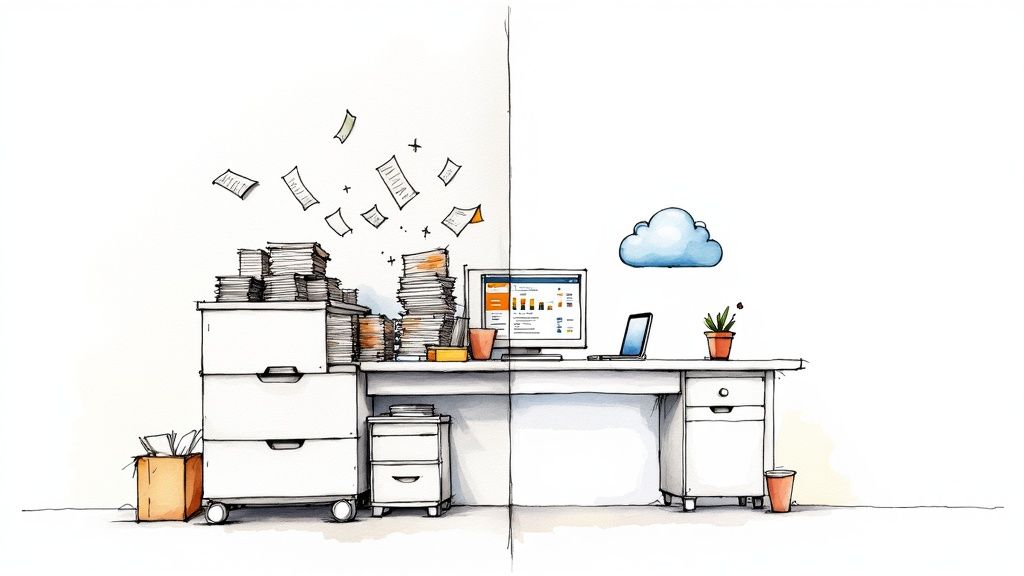
From Chaos to Clarity
The core idea is both simple and incredibly powerful. You digitize every single financial document—from a coffee receipt to a major supplier invoice—the moment it comes in. This simple act immediately eliminates the risk of papers getting lost, damaged, or forgotten in a shoebox under your desk.
This isn’t just about being tidy; it’s about solving the real-world headaches that drain your energy and resources. For freelancers and small business owners, these pain points are all too familiar:
- Tedious Data Entry: Manually punching numbers into spreadsheets is not only a time sink but also a recipe for costly mistakes.
- Lost Documents: A single misplaced receipt can mean a lost tax deduction or an expense you can’t get reimbursed for.
- Tax Season Stress: That annual scramble to gather and organize a year’s worth of paperwork is a huge source of anxiety for almost everyone.
A paperless system tackles these problems head-on. It automates data entry, secures every document in the cloud, and turns tax prep into a simple report-generation task. It gives you back countless hours and a genuine sense of control over your finances.
The Growing Trend Toward Digital Finances
The shift to digital-first solutions isn’t slowing down. The global cloud accounting software market was valued at USD 4.61 billion in 2022 and is expected to skyrocket to USD 12.25 billion by 2030. This explosive growth signals a clear demand: businesses want smarter, more accessible, and cost-effective ways to manage their books. You can discover more insights about the cloud accounting market and its future.
To put it in perspective, let’s look at a side-by-side comparison.
Manual vs Paperless Accounting At a Glance
This table quickly highlights the fundamental differences in efficiency, cost, and accessibility between traditional and paperless accounting methods.
| Aspect | Manual Accounting (The Old Way) | Paperless Accounting (The New Way) |
|---|---|---|
| Data Entry | Manual, slow, and prone to human error. | Automated with AI, fast, and highly accurate. |
| Document Storage | Physical filing cabinets, boxes; vulnerable to loss or damage. | Secure cloud storage; safe from physical harm. |
| Accessibility | Limited to the physical location of the files. | Accessible from anywhere with an internet connection. |
| Cost | High costs for paper, printing, storage, and manual labor. | Lower overhead; subscription-based with minimal physical costs. |
| Audit Trail | Difficult to track changes; relies on manual logs. | Automatic, detailed, and tamper-proof audit trails. |
| Collaboration | Cumbersome; involves sharing physical copies or scanned files. | Seamless; real-time access for teams and accountants. |
Ultimately, adopting a paperless approach is about completely transforming your relationship with your finances. It takes accounting from a dreaded chore to a streamlined, automated process that actively supports your business’s growth. The result? More time for what actually matters, less stress over paperwork, and the peace of mind that comes from having your financial world perfectly organized.
What You Really Gain by Going Paperless
Switching to paperless accounting software is about more than just a cleaner desk. It’s a complete shift in how you manage your finances. Think of it as reclaiming all those hours you lose to manual data entry, boosting your productivity, and finally getting that sense of calm that comes with a perfectly organized system. The perks go way beyond just saving a few trees.
Think about your typical workweek. How much time do you really spend printing invoices, sorting receipts, or digging for that one document you swear you saw last Tuesday? Now, imagine all that time is back in your hands. That’s the first big win of going paperless: a serious productivity boost.
Get Your Time Back with Smart Automation
Let’s be honest, manually filing documents is a drag. It interrupts your workflow and forces you to stop what you’re doing just to put a piece of paper in a folder. Paperless systems, especially those with smart AI, get rid of that entire tedious loop.
Instead of typing out the details from an invoice, the software reads it for you. Instead of wondering what expense category to use, AI learns your spending habits and does it automatically. This kind of automation frees you from the grunt work, so you can focus on the parts of your business that actually matter.
- Invoice Processing: Stop the manual data entry. AI-powered software grabs the vendor, amount, and due date for you, saving time and killing typos.
- Expense Categorization: Smart systems learn how you classify spending, keeping your books accurate without you having to micromanage them.
- Automated Reminders: Get a heads-up when bills are due, so you can avoid late fees and keep a better handle on your cash flow.
Go from Tax-Time Panic to One-Click Reports
Here’s a practical example: tax season for a freelancer. The old way usually involves a mad scramble through shoeboxes, messy folders, and countless emails, trying to stitch together a year’s worth of financial records. It’s stressful, takes forever, and is a recipe for mistakes and missed deductions.
Now, picture that same freelancer using paperless accounting software. All year long, they’ve snapped photos of receipts with their phone, forwarded digital invoices to an email, and let the AI categorize everything on the fly.
When their accountant asks for the records, it’s not a week-long headache. It’s a simple log-in, a quick date range selection, and a single click to generate a perfect report. This is the difference between hours of panic and a few minutes of calm confidence.
Gain Peace of Mind with Better Security
What would happen if your paper records were lost in a move, damaged by a coffee spill, or destroyed in a flood? For a business relying on physical files, that’s a nightmare scenario. Paper is just plain vulnerable.
Cloud-based paperless accounting software is a much safer bet. Your financial data is protected with the kind of security that a filing cabinet could never offer.
- Encryption: Your data is scrambled both in transit and in storage, making it completely unreadable to anyone who shouldn’t see it.
- Controlled Access: You get to decide exactly who can view or edit your financial information, and every action is tracked in a log.
- Disaster Recovery: Automatic cloud backups mean your data is safe from physical disasters. If your laptop gets stolen, your financial records are still secure and accessible from any device.
The financial upside is just as significant. Businesses that make the switch can save an average of $8,000 to $10,000 annually on things like paper, ink, postage, and storage. You can see a full analysis of these paperless cost savings on Ace Cloud Hosting . It’s a powerful combination: you get more productive, save a ton of time, and gain the invaluable peace of mind that comes from knowing your financial world is organized, accessible, and safe.
Core Features That Power Your Workflow
Modern paperless accounting software isn’t magic. It’s just smart tech designed to take the most tedious parts of bookkeeping off your plate. Once you understand the core features driving this efficiency, you’ll see how it transforms your workflow from a manual grind into a smooth, automated process. These AI-driven tools work quietly in the background to give you back your time and peace of mind.
At the heart of it all are a few powerful components, each one built to solve a major pain point in traditional accounting. Instead of getting lost in technical jargon, let’s break down what they actually do for you.
This diagram shows how going paperless boosts your productivity, saves you time, and ultimately, helps you feel more in control.
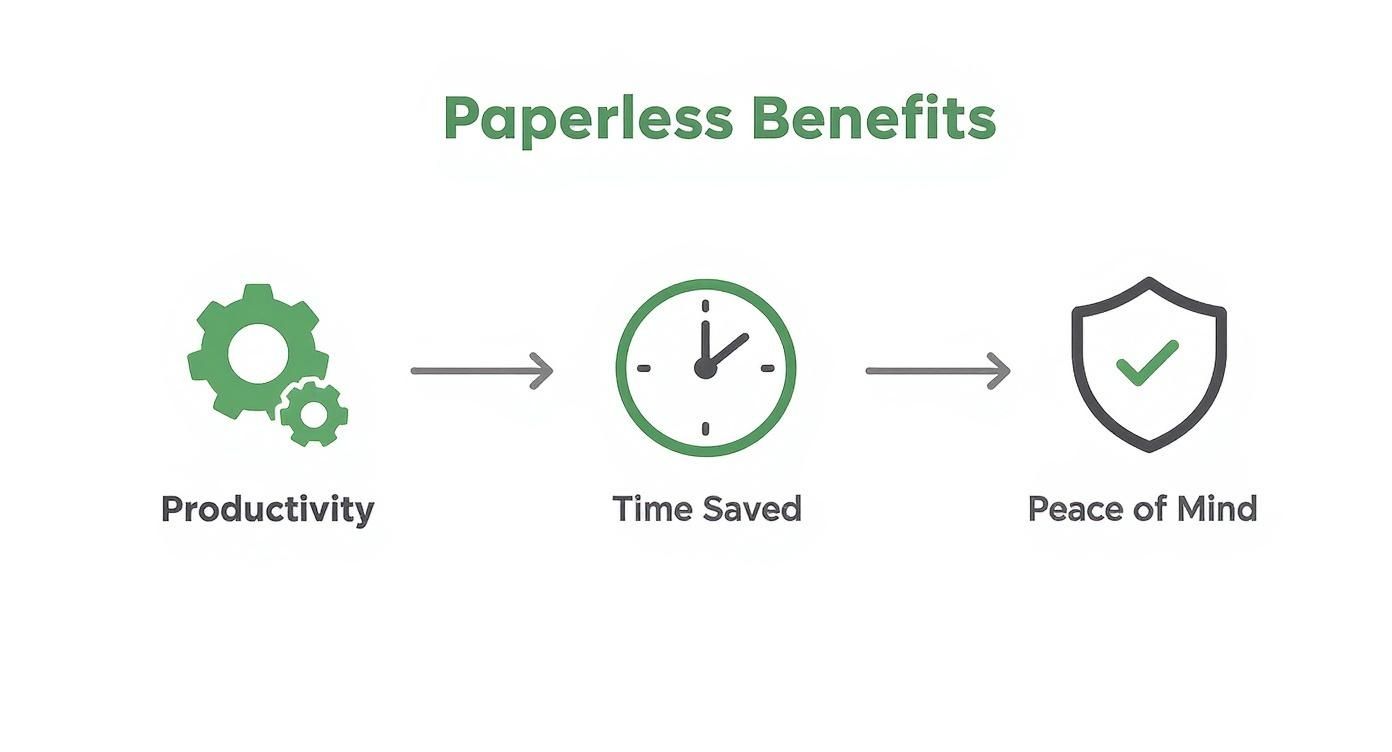
By automating all those repetitive tasks, the software frees up your schedule. That extra time leads directly to the confidence that comes from having a perfectly organized financial system.
Your Digital Assistant for Data Entry
Imagine having an assistant who reads every receipt and invoice for you, instantly pulling out the important details. That’s exactly what Optical Character Recognition (OCR) does. When you snap a photo of a receipt or upload an invoice, AI-powered OCR technology scans the document and extracts key information—the vendor’s name, the date, the total amount, even the tax.
This completely eliminates the soul-crushing task of manual data entry. No more squinting at faded receipts or typing numbers into a spreadsheet, which is where a staggering 90% of spreadsheets with more than 150 rows are said to contain errors. The software does the heavy lifting, ensuring your records are accurate and up-to-date with almost no effort on your part. To get a better sense of the tech, check out our guide on how OCR works .
A Smart Filing System That Learns
So, once the data is captured, where does it go? This is where AI-driven categorization comes in. Think of it as an intelligent filing cabinet that actually learns your habits. The first time you categorize an expense from “The Corner Cafe” as “Meals & Entertainment,” the AI remembers that.
Next time you upload a receipt from that same cafe, it will automatically suggest or even apply the same category. This learning ability gets smarter over time, drastically reducing the number of decisions you have to make. It also keeps your bookkeeping consistent, which is a lifesaver for accurate financial reports and makes tax time so much simpler.
Creating a Connected Financial Hub
Your business finances don’t exist in a vacuum. You’ve got bank accounts, credit cards, payment processors, and maybe even payroll software. A crucial feature of any great paperless accounting tool is its ability to create a connected financial hub through seamless integrations.
By linking directly to your bank and credit card accounts, the software automatically pulls in transactions every single day. This gives you a real-time view of your cash flow without you ever having to log into multiple platforms or manually download statements. The benefits here are huge:
- Daily Reconciliation: Match incoming transactions with your digital receipts and invoices on the fly, keeping your books constantly up-to-date.
- Complete Financial Picture: Integrating with other business apps, like your project management tool or e-commerce platform, gives you a full, holistic view of your company’s financial health.
- Less Manual Work: It cuts out the need to cross-reference information between different systems, which saves time and prevents costly errors.
The Digital Breadcrumb Trail for Compliance
Finally, what about security and accountability? An audit trail is a feature that acts like a digital breadcrumb trail, recording every single action taken within your account. It logs who made a change, what they changed, and exactly when they did it.
This provides total transparency and is incredibly valuable. If you work with an accountant, they can easily see the history of any transaction, making their job faster and more efficient. For compliance, a clear, unchangeable audit trail proves the integrity of your financial records. It’s the ultimate peace of mind, knowing every detail is tracked and secure.
To tie it all together, here’s a quick look at how these core features directly translate into real-world benefits.
Table: Essential Features of Paperless Accounting Software
| Feature | What It Does (In Simple Terms) | Primary Benefit |
|---|---|---|
| OCR Technology | Reads receipts and invoices for you. | Eliminates manual data entry and human error. |
| Auto-Categorization | Learns how you sort expenses and does it automatically. | Keeps your books consistent and saves you time. |
| Bank Integrations | Connects to your accounts to pull in transactions. | Gives you a real-time view of your cash flow. |
| Audit Trail | Tracks every change made in your account. | Ensures security, transparency, and compliance. |
Each of these features is designed to do one thing: get you out of the weeds of bookkeeping so you can focus on what you do best.
Putting Paperless Software Into Practice
It’s one thing to talk about theory, but the real “aha!” moment comes when you see how paperless accounting software actually solves day-to-day problems. These tools aren’t just about scanning documents; they’re designed to give you back time, boost productivity, and offer some much-needed peace of mind by taking the pain out of financial chores.
Let’s look at how different professionals are using this technology to get out of the administrative weeds and back to what they do best. These stories show how a simple change in tools can completely reshape your approach to finances, making it feel less like a chore and more like an intuitive part of your workflow.
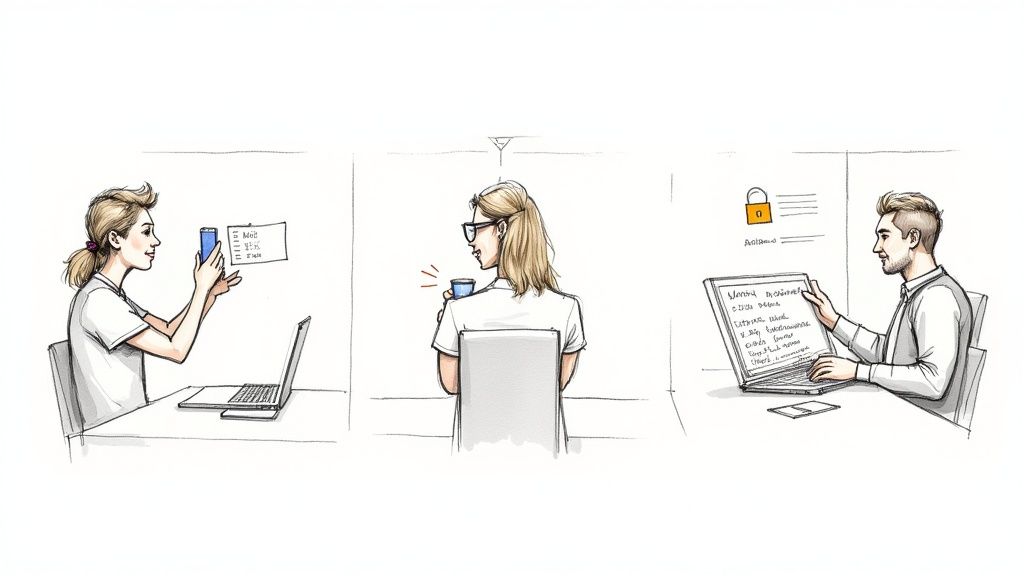
For the Freelancer on the Go
Meet Sarah, a freelance graphic designer. Her office is wherever she happens to be—a coffee shop, a co-working space, or her kitchen table. Before going paperless, her wallet was a chaotic graveyard of faded receipts, and her desk was constantly buried under a pile of invoices she needed to sort through. Come tax season, it was a frantic scramble to make sense of a year’s worth of crumpled paper.
Now, her entire workflow has changed. After buying coffee for a client, Sarah just pulls out her phone, opens her accounting app, and snaps a picture of the receipt. The app’s AI-powered OCR instantly reads the vendor, date, and amount. Because it has learned her spending habits, it automatically categorizes the expense as “Client Meetings.” The physical receipt? It goes straight into the recycling bin before she even leaves the cafe.
This simple, two-second action gives her incredible peace of mind. She knows every single deductible expense is captured accurately, her books are always current, and she’ll never have to dread tax time again.
For the Small Business Owner Managing Growth
Next up is David, who runs a small e-commerce shop. His biggest headache used to be supplier invoices. They’d flood his email as PDFs, and he’d have to manually key every single one into a spreadsheet, constantly worried he’d miss a due date and damage a good vendor relationship. Trying to get a clear picture of his cash flow felt more like a guessing game.
David now uses a paperless system like Fileo. All supplier invoices are forwarded to a dedicated email address where the software automatically pulls out the key details, records the bill, and flags the due date on his financial dashboard. He can see a real-time overview of his accounts payable at a glance. It’s a game-changer. In fact, automation has drastically cut down on this kind of manual work—in 2024, only 60% of invoices are manually entered, a huge drop from 85% in 2023. You can dig deeper into how automation is changing business on dokka.com .
For David, this translates to:
- No More Late Payments: Automated reminders make sure he pays every bill on time, every time.
- Real-Time Cash Flow: He can generate accurate reports instantly, which helps him make much smarter purchasing decisions.
- Hours Saved: He’s reclaimed hours each week, which he now pours back into marketing and growing his business.
For the Accountant Streamlining Collaboration
Finally, let’s look at Maria, an accountant juggling dozens of small business clients. In the old days, the end of each quarter was a frantic rush, chasing down clients for bank statements, random spreadsheets, and the infamous shoebox full of receipts. All that back-and-forth was a massive time sink and often led to errors and missed deadlines.
Today, Maria’s process is completely seamless. She has secure portal access to each of her client’s paperless accounting platforms. She can log in anytime to see their financial data in real-time, review categorized expenses, and spot potential issues long before they become serious problems.
When it’s time to close the books, everything she needs is already there—neatly organized and verified. Instead of confusing email chains, she can collaborate directly in the platform, leaving comments on specific transactions. This shift has allowed her to move from being a data entry clerk to a valued advisor, which has made her client relationships stronger than ever.
How to Choose the Right Software
Picking the right paperless accounting software can feel like a massive decision, but it really doesn’t have to be. The best tool isn’t always the one with a hundred features—it’s the one that just clicks with how you work. If you know what to look for, you can find a solution that genuinely saves you time, makes your life easier, and lets you sleep better at night.
Let’s be honest, a freelancer’s needs are a world away from a growing small business or a busy accounting firm. A one-size-fits-all solution is a myth. The trick is to match the software’s strengths to your everyday workflow and your biggest headaches.
For Freelancers and Solopreneurs
When you’re flying solo, simplicity and affordability are everything. You need a tool that lets you capture an expense in seconds without having to learn a complicated new system. The focus should be on practical features that fit your on-the-go lifestyle.
Look for software that offers:
- A Killer Mobile App: Your office is wherever you are—a coffee shop, a client’s office, your car. Your software has to keep up. A solid app for snapping receipt photos on the spot isn’t a nice-to-have; it’s essential.
- Zero Learning Curve: You don’t have time to wade through tutorials. The best tools feel intuitive from the get-go, making things like tracking expenses quick and painless.
- A Wallet-Friendly Price: Keep your overhead lean. Find a subscription plan built for one, giving you the core features you need without paying for bells and whistles you’ll never use.
For Small Businesses
As a small business owner, your financial world is more complex. You’re juggling invoices, payroll, maybe even inventory. Your paperless accounting software needs to be the central hub for all of it, ready to scale as you grow.
Here’s what to prioritize:
- Room to Grow: Pick a platform that won’t hold you back. It should handle more transactions, more users, and more complexity down the road without slowing to a crawl.
- Plays Well with Others: The software absolutely must connect with the other tools you rely on, like your bank, payroll provider, or online store. This creates a single, reliable source of financial truth.
- Team-Friendly Access: You’ll probably need your bookkeeper or other team members in the system. Look for software with flexible, role-based permissions so you can control exactly who sees and does what.
For Accountants and Bookkeepers
If you’re an accounting pro, your whole game is about efficiency. You’re managing multiple clients, each with their own financial quirks. You need software that gives you a high-level dashboard but also lets you drill down into the nitty-gritty in a flash.
A powerful client management dashboard is non-negotiable. It should let you toggle between client accounts effortlessly, see where everything stands at a glance, and cut out the endless back-and-forth of spreadsheets and email threads. To dive deeper, check out this guide to document management software for accountants.
Features that are must-haves for accountants include:
- A Centralized Client Dashboard: See and manage all your clients from one clean, organized screen.
- Built-in Collaboration: Securely share files, add notes to specific transactions, and work directly with clients inside the platform.
- Powerful Reporting: Generate detailed, custom reports that help you deliver real insights and make tax season way less stressful.
Your Essential Pre-Purchase Checklist
Before you pull out your credit card, run through these questions. They’ll help you cut through the marketing fluff and find a tool that actually works for you.
- Does it automatically sync with my bank and credit card accounts?
- Is the mobile app a full-featured powerhouse, or just a stripped-down version of the desktop site?
- What’s the deal with customer support? Can I get a real person via chat, phone, or email when I’m stuck?
- How easy is this for someone who isn’t an accountant to use? Could my client figure it out?
- If I ever decide to leave, how do I get my data out? Is it a hassle?
Getting clear answers to these questions will make your decision a whole lot easier.
Your Step-By-Step Migration Plan
Making the switch to a new system can feel daunting, but moving to paperless accounting is much easier when you break it down into a few manageable steps. Think of it less as a massive, one-weekend project and more as a gradual transition. This simple roadmap will help you get there without the stress.
The trick is to avoid trying to boil the ocean. A step-by-step approach builds momentum and makes the entire process feel surprisingly simple.
Step 1: Start Small and Build Momentum
Don’t kick things off by trying to digitize a decade’s worth of paperwork. That’s a surefire way to get overwhelmed and give up. Instead, pick one small, recurring type of document to start with.
Monthly utility bills or supplier invoices are perfect candidates. This gives you a chance to practice the new workflow—get a document, digitize it, let the software work its magic—on a very small scale. Once that feels like second nature, add another category, like travel receipts. You’re building a new habit, not creating a new full-time job for yourself.
Step 2: Configure Your Core Tools
Now that you have a basic workflow humming along, it’s time to unlock the real magic. The next move is to connect your bank and credit card accounts directly to the software. This is typically a secure, one-time setup that takes just a few minutes.
Once connected, your transactions will flow in automatically. This gives you a live, up-to-the-minute view of your finances and sets the stage for automated reconciliation. You can also set up a few simple automation rules at this point, like automatically tagging any charge from Shell or BP as “Vehicle Expenses.”
Step 3: Tackle Your Paper Backlog
With all your new documents handled, what about that old filing cabinet overflowing in the corner? You’ve got two practical ways to deal with your paper backlog.
- Scan in Batches: Set aside a small chunk of time each week—say, 20 minutes every Friday—to scan older documents. Focus on one folder or one year at a time. It’s amazing how quickly you can get through it without it feeling like a chore.
- Set a Cut-Off Date: An even simpler method is to just draw a line in the sand. Pick a “go-forward” date, like the start of this financial year. Digitize everything from that day onward and just store the older paper records until you no longer need them for compliance.
For many, a good mobile scanning app is more than enough to get the job done. To see what’s possible, you can learn more about scanning documents on your iPhone for a paperless life .
Step 4: Establish and Maintain New Habits
This last step is the most important one: consistency. The true power of a paperless system is unlocked through daily use. Get into the habit of snapping a picture of every receipt the moment it lands in your hand.
Instead of letting receipts pile up in your wallet or on your desk, turn the two-second action of snapping a photo into a reflex. This simple habit is the key to maintaining a perfectly organized, stress-free financial system and achieving true peace of mind.
Frequently Asked Questions
Thinking about going paperless with your accounting? It’s a great move, but it’s normal to have a few questions before you jump in. Let’s tackle some of the most common ones we hear so you can feel confident about making the switch.
Is My Financial Data Secure in the Cloud?
Absolutely. Any trustworthy paperless accounting service uses the same kind of security that banks do. Your data is encrypted from the moment you upload it and stays that way while it’s stored on their servers.
Here’s a different way to think about it: your financial records are often much safer in a secure cloud system than in a filing cabinet in your office. That cabinet is an easy target for theft, fire, or even a simple water leak. The cloud, on the other hand, is protected by layers of digital and physical security. For extra peace of mind, always enable multi-factor authentication (MFA).
Do I Still Need My Original Paper Receipts?
This one usually comes down to your local tax laws. For agencies like the IRS, a clear, high-quality digital scan is just as good as the paper original. The main rule is that the digital copy has to be completely legible and an exact image of the original document.
Most modern paperless platforms are built to meet these requirements, so you can rest easy if you ever face an audit. Still, it’s always a good idea to check with your accountant to be sure you’re following the specific rules for your region.
How Much Time Will It Take to Get Started?
Getting the software up and running is actually the fast part. You can probably set up your account, link your bank feeds, and get the basics configured in under an hour. The real work is in building new habits and figuring out what to do with all that old paper.
Here’s a pro tip: don’t try to tackle your entire backlog at once. Just start today. From this point forward, capture every new document digitally as it comes in. You can chip away at the old stuff later when you have time. This approach makes the whole process feel much less overwhelming.
Can I Collaborate With My Accountant?
Yes, and this is where you’ll see a massive improvement in your workflow. Good paperless accounting software lets you give your accountant or bookkeeper secure access to your financial data. No more emailing sensitive documents or hauling a shoebox full of receipts to their office.
They can simply log in, pull reports, and find what they need whenever they need it. It makes tax time and regular financial check-ins incredibly smooth for everyone involved.
Ready to stop shuffling paper and start saving time? Fileo uses AI to automatically organize your invoices, receipts, and other documents, giving you back hours of your week. Experience the peace of mind that comes with a perfectly organized digital filing system.