If you spend more time searching for files than doing actual work, you’re not alone. The constant struggle to find the right invoice, contract, or client proposal is a hidden productivity killer for many small businesses. It’s frustrating, time-consuming, and adds unnecessary stress to your day, turning shared drives into a maze of misplaced documents and duplicate versions.
What if you could reclaim that lost time and gain complete peace of mind, knowing every file is secure and exactly where it should be? Choosing the best cloud storage for your small business isn’t just about saving files online. It’s about creating a streamlined, efficient system that works for you, not against you. A smart setup automates organization, simplifies team collaboration, and protects your most critical data.
This guide cuts through the noise to help you find that perfect fit. We’ve analyzed the top 12 cloud storage providers, from industry giants like Google Drive and Dropbox to specialized solutions like Egnyte and Sync.com. For each option, you will find:
- Practical Use Cases: Discover which platform excels for specific needs, like secure client portals or large media file collaboration.
- Honest Limitations: We highlight potential drawbacks so you can make a truly informed decision without surprises.
- Clear Feature Breakdowns: Understand the essential differences in security, admin controls, and app integrations.
- Screenshots and Direct Links: See how each platform works and get started easily.
Our goal is to give you actionable insights to transform your file management from a daily chore into a seamless, productive workflow. Let’s find the solution that finally ends your document chaos.
1. Microsoft 365 (OneDrive for Business)
For small businesses already living in the Microsoft ecosystem, Microsoft 365 is often the most logical and powerful choice for cloud storage. It’s more than just storage; it’s a complete productivity suite. The true value comes from the tight integration of OneDrive for Business with essential tools like Outlook, Teams, Word, and Excel, creating a seamless workflow that can significantly boost efficiency.
Rather than just storing files, your team can co-author documents in real-time, share files securely directly from their email, and access everything from any device. This integrated approach saves time by eliminating the need to switch between different applications. Each user typically starts with a generous 1 TB of OneDrive storage, which is ample for most individual needs.
Key Features & Considerations
- Best For: Businesses deeply invested in the Microsoft Office suite (Word, Excel, Outlook) and Windows.
- Standout Feature: Deep integration with Office apps and Windows File Explorer, making it feel like a natural extension of your desktop.
- Security: Comes with robust, built-in security controls, including multi-factor authentication (MFA) and advanced features like data loss prevention on higher-tier plans.
- Pricing: Business Basic starts at $6.00 per user/month, including web and mobile apps, Teams, and 1 TB of OneDrive storage. Business Standard ($12.50) adds desktop Office apps.
Our Takeaway: Microsoft 365 excels in providing an all-in-one productivity and storage solution. The admin controls are comprehensive, though they can present a slight learning curve for business owners without dedicated IT staff. The system’s structure also encourages good habits for file management. If you’re looking to get your digital workspace in order, it’s a great starting point, and you can learn how to organize your OneDrive effectively to maximize its benefits.
Visit Microsoft 365 for Business
2. Google Workspace (Drive for Business)
For small businesses that thrive on collaboration and already use tools like Gmail and Google Calendar, Google Workspace is a natural and powerful choice. More than just cloud storage, it’s a complete productivity and collaboration platform. The real strength lies in how Google Drive seamlessly integrates with Docs, Sheets, and Slides, allowing teams to work together in real-time with incredible ease.
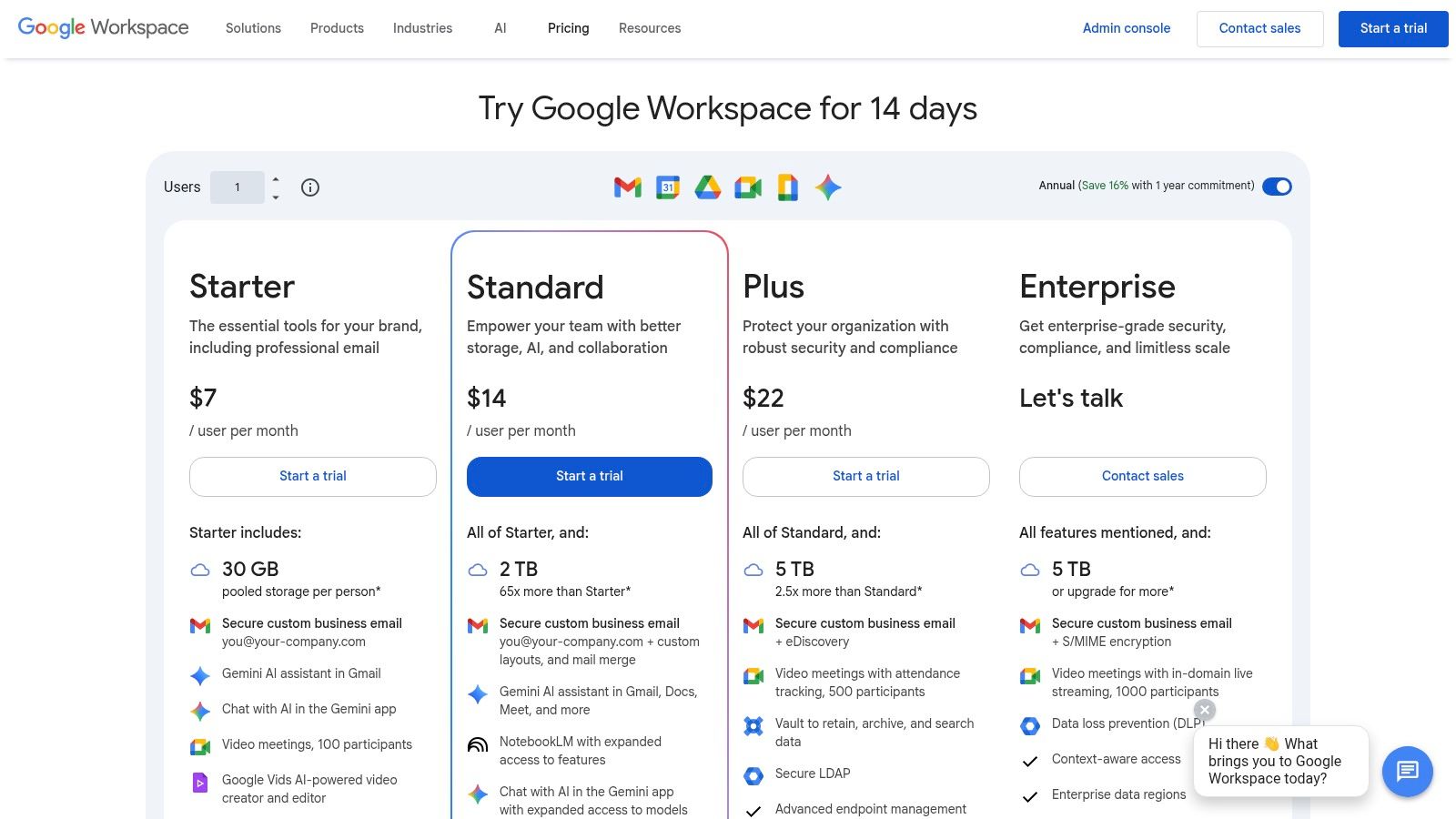
This unified environment simplifies workflows, as your team can create, share, and edit documents live without ever leaving their browser. Instead of sending versions back and forth, everyone works from a single source of truth. The storage is also flexible; rather than a fixed amount per user, it’s pooled across the organization, giving growing teams more room to expand where they need it most.
Key Features & Considerations
- Best For: Teams that prioritize real-time collaboration and businesses already familiar with Google’s suite of tools (Gmail, Calendar).
- Standout Feature: World-class real-time co-editing within Docs, Sheets, and Slides, combined with a simple and intuitive interface for sharing files.
- Security: Features a central Admin console for managing users and permissions, with added security options like 2-Step Verification and advanced protection on higher tiers.
- Pricing: Business Starter begins at $6.00 per user/month with 30 GB of pooled storage per user. Business Standard ($12.00) increases this to a generous 2 TB per user.
Our Takeaway: Google Workspace excels at making collaboration feel effortless, making it one of the best cloud storage for small business options focused on teamwork. The user experience is clean and straightforward, lowering the barrier to entry for new team members. While migrating from a Microsoft-based email system requires some planning, the productivity gains from its integrated tools are significant. You can learn how to organize Google Drive to bring structure and peace of mind to your team’s digital files.
Visit Google Workspace
3. Dropbox for Business (Teams)
Dropbox is famous for pioneering cloud sync, and its business offering builds on that foundation of simplicity and reliability. For small businesses, particularly those in creative fields or agencies that frequently collaborate with external partners, Dropbox for Business offers a user-friendly and powerful solution. Its core strength lies in its “it just works” synchronization, making file access seamless across all devices without much technical overhead.
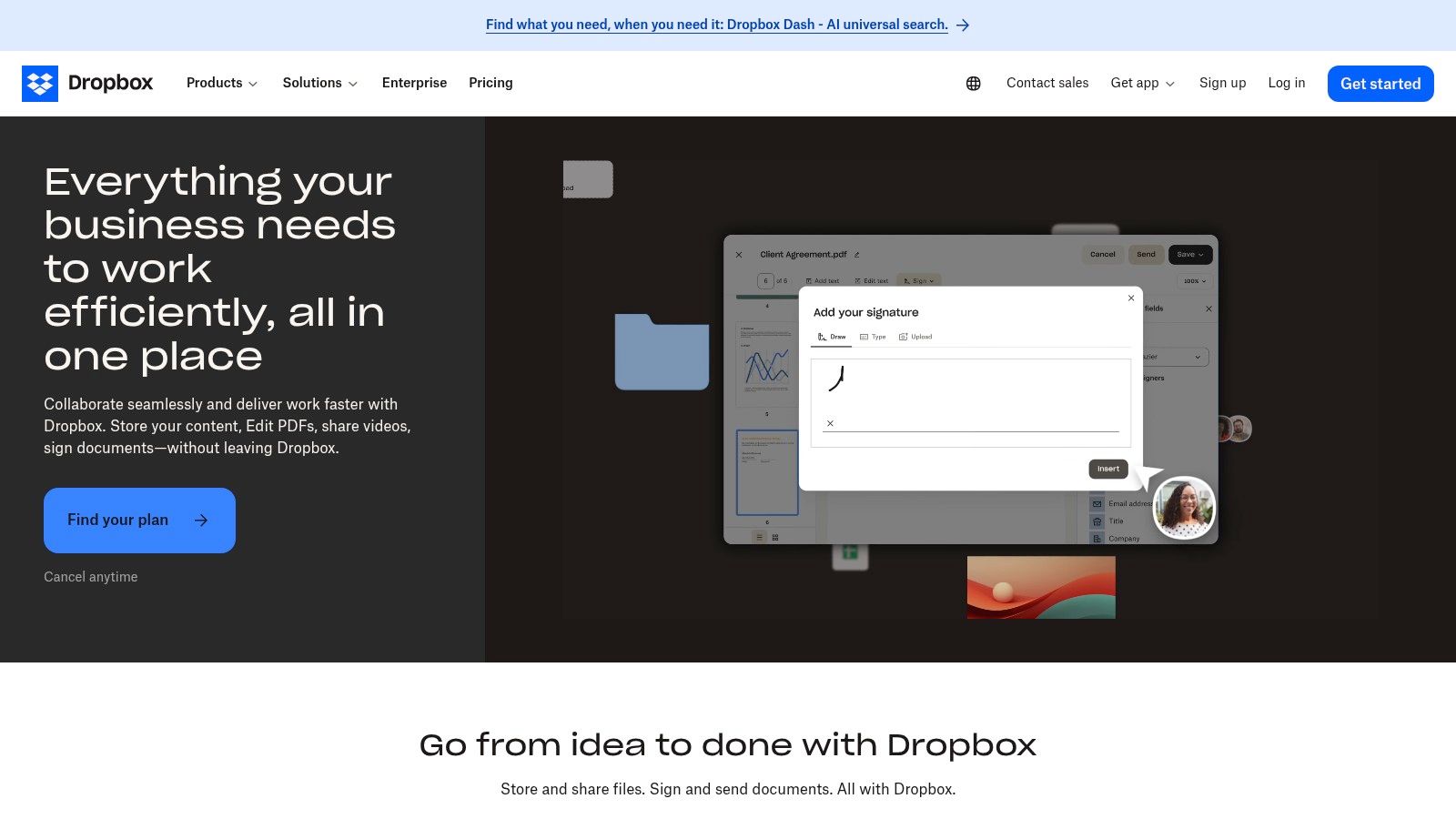
The platform has expanded well beyond simple storage, now including tools like built-in e-signature capabilities and PDF editing, which helps streamline common document workflows. This focus on straightforward sharing and a vast ecosystem of third-party app integrations makes it an excellent choice for teams that need a flexible hub for their files without being locked into a single productivity suite.
Key Features & Considerations
- Best For: Creative agencies, marketing teams, and businesses that need reliable third-party app integrations and simple external sharing.
- Standout Feature: Rock-solid, easy-to-use desktop sync and extensive support for large file transfers (up to 100 GB on the Standard plan).
- Security: Provides team-wide security features, including admin controls for permissions, account transfer tools, and version history of up to 180 days.
- Pricing: The Standard plan starts at $15 per user/month (minimum 3 users) and includes 5 TB of shared team storage. The Advanced plan ($24 per user/month) offers 15 TB.
Our Takeaway: Dropbox excels in ease of use and reliability, making it one of the best cloud storage for small business teams who prioritize a frictionless experience. While its admin controls aren’t as deep as enterprise-focused platforms, its simplicity is a major advantage for business owners without dedicated IT support. To get the most out of the platform, you can explore tips for effective Dropbox file management and keep your digital assets organized.
Visit Dropbox for Business
4. Box Business
For businesses in regulated industries or those that require enterprise-level security and compliance, Box is a leader in secure content management. While it functions as a cloud storage provider, its true strength lies in its advanced governance, workflow automation, and security controls. This makes it an ideal choice for industries like finance, healthcare, or legal services, where data handling is under strict scrutiny.
Box is designed from the ground up to be a central, secure hub for all business content. It excels at controlling how information is shared both internally and externally, offering granular permissions that go beyond simple view or edit access. The platform’s extensive integration ecosystem, including deep connections with Salesforce, Okta, and both Microsoft 365 and Google Workspace, ensures it can fit into almost any existing tech stack, enhancing productivity without compromising security.
Key Features & Considerations
- Best For: Businesses in regulated industries (finance, legal, healthcare) that need strict compliance and advanced security controls.
- Standout Feature: Enterprise-grade security and governance tools, including content classification, retention policies, and robust external sharing controls.
- Security: A primary focus, with features like Box Shield for threat detection, advanced data loss prevention (DLP), and support for compliance standards like HIPAA and FINRA.
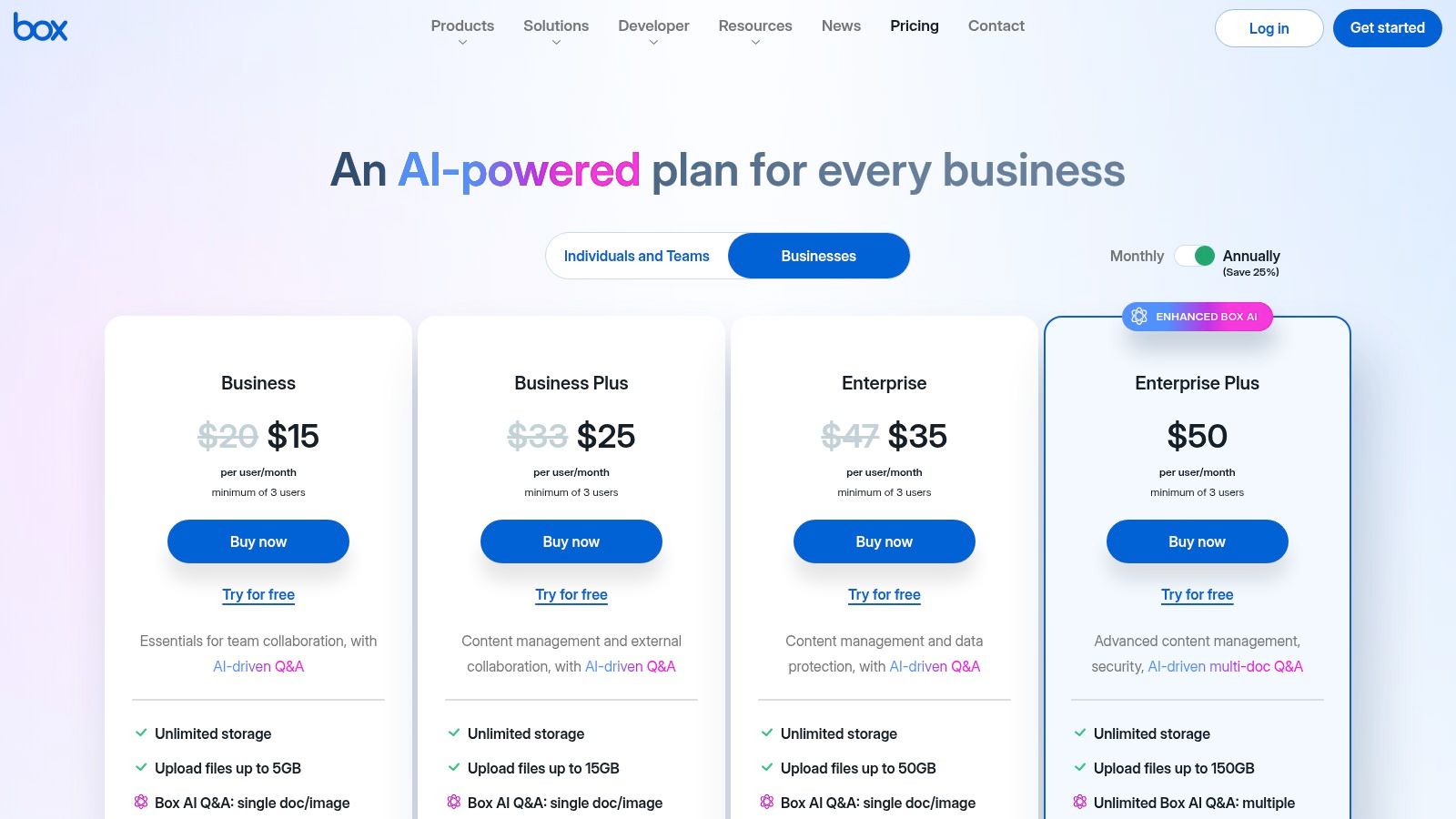
- Pricing: Business plans start at $15.00 per user/month (minimum 3 users) with unlimited storage. Higher-tier plans add advanced features like workflow automation and e-signatures.
Our Takeaway: Box is more than just storage; it’s a secure content management platform. The initial setup can be more involved than simpler tools, but the peace of mind it provides through its security and compliance features is invaluable for the right business. Its feature set may be overkill for some, but for those who need it, Box is one of the best cloud storage for small business options available.
Visit Box Business Plans
5. Egnyte
For small businesses in regulated industries like finance, life sciences, or architecture, Egnyte offers a powerful, security-first approach to cloud storage. It moves beyond simple file hosting to provide a unified platform with robust governance, compliance, and content intelligence. This makes it one of the best cloud storage for small business options when data security and industry-specific workflows are top priorities.
Egnyte effectively balances the accessibility of the cloud with the control of on-premise storage, offering hybrid solutions for teams that need both. Its strength lies in preventing data misuse through advanced features like ransomware detection, granular access controls, and automated content lifecycle management, giving business owners true peace of mind.
Key Features & Considerations
- Best For: Businesses in regulated industries (AEC, finance, life sciences) needing strong compliance, governance, and security.
- Standout Feature: Industry-specific solutions with governance tools and rich integrations with specialized software like Autodesk and Adobe.
- Security: Advanced threat protection, including ransomware detection and recovery, plus add-ons for meeting strict compliance standards like CMMC and GxP.
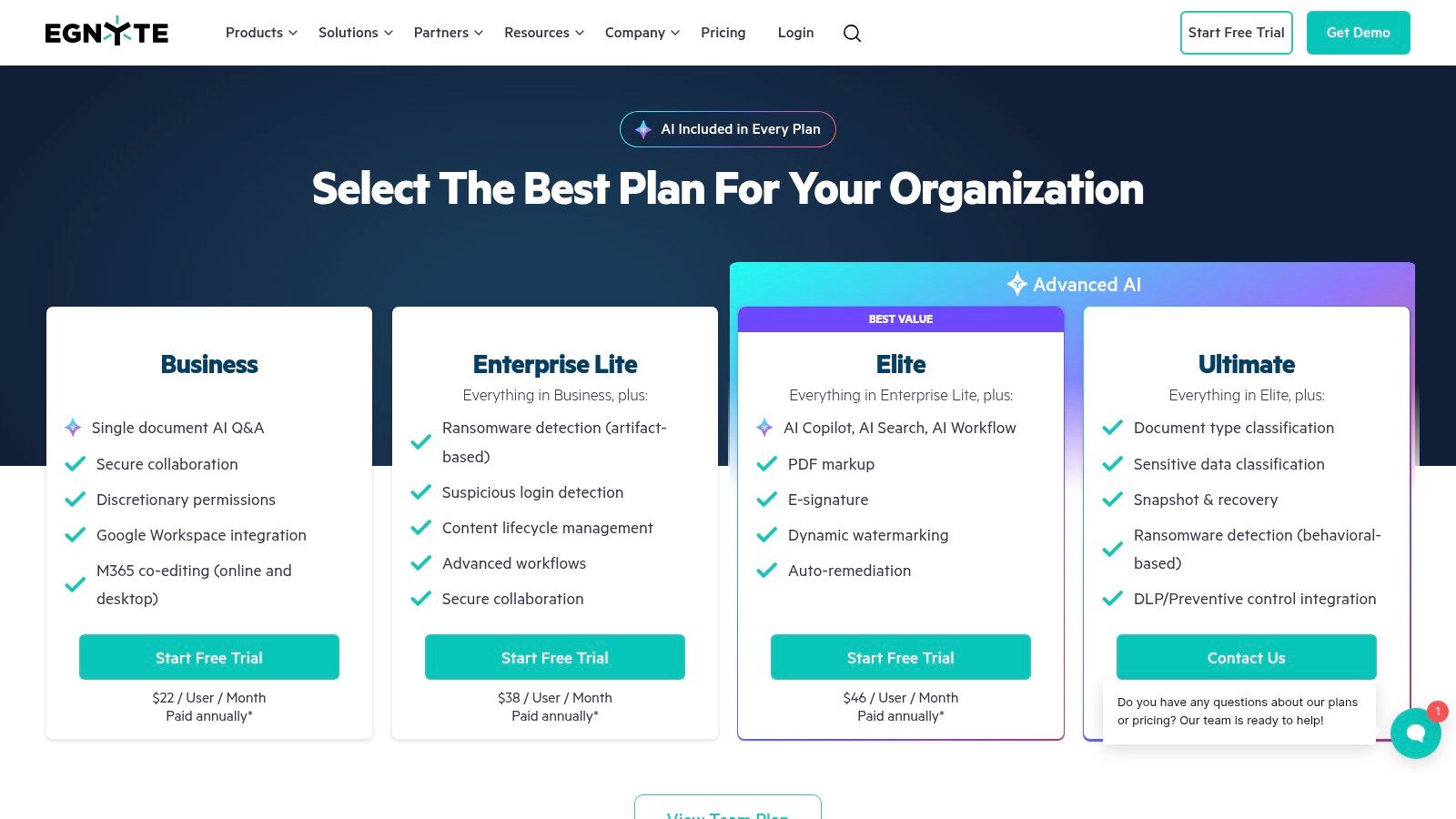
- Pricing: Business plans start at $20.00 per user/month (billed annually) for teams of 10 or more, including 1 TB of storage per user and standard integrations.
Our Takeaway: Egnyte is a premium solution for businesses that cannot afford to compromise on security or compliance. While the per-user cost is higher and the feature-rich interface can present a learning curve, the investment is justified for companies handling sensitive data. Its ability to manage content intelligently throughout its lifecycle saves time and reduces risk.
Visit Egnyte
6. Sync.com for Business
For small businesses where security and privacy are the absolute top priorities, Sync.com offers a compelling and straightforward solution. Unlike mainstream providers, Sync.com is built on a zero-knowledge, end-to-end encrypted architecture. This means that not even Sync.com can access your files, providing ultimate peace of mind for businesses handling sensitive client data, intellectual property, or regulated information.
The platform is refreshingly simple to use, focusing on core secure storage, sharing, and backup functionalities without the complexity of a full productivity suite. This makes it an excellent choice for teams that need a secure digital vault rather than a deeply integrated collaboration ecosystem. The clean interface and easy-to-understand admin controls allow business owners to manage users and permissions quickly.
Key Features & Considerations
- Best For: Businesses requiring the highest level of privacy, such as legal firms, healthcare providers, and anyone handling confidential data.
- Standout Feature: Zero-knowledge end-to-end encryption is enabled by default, ensuring your data is completely private.
- Security: As a Canadian company, it complies with strict privacy laws and offers features to support HIPAA and GDPR compliance.
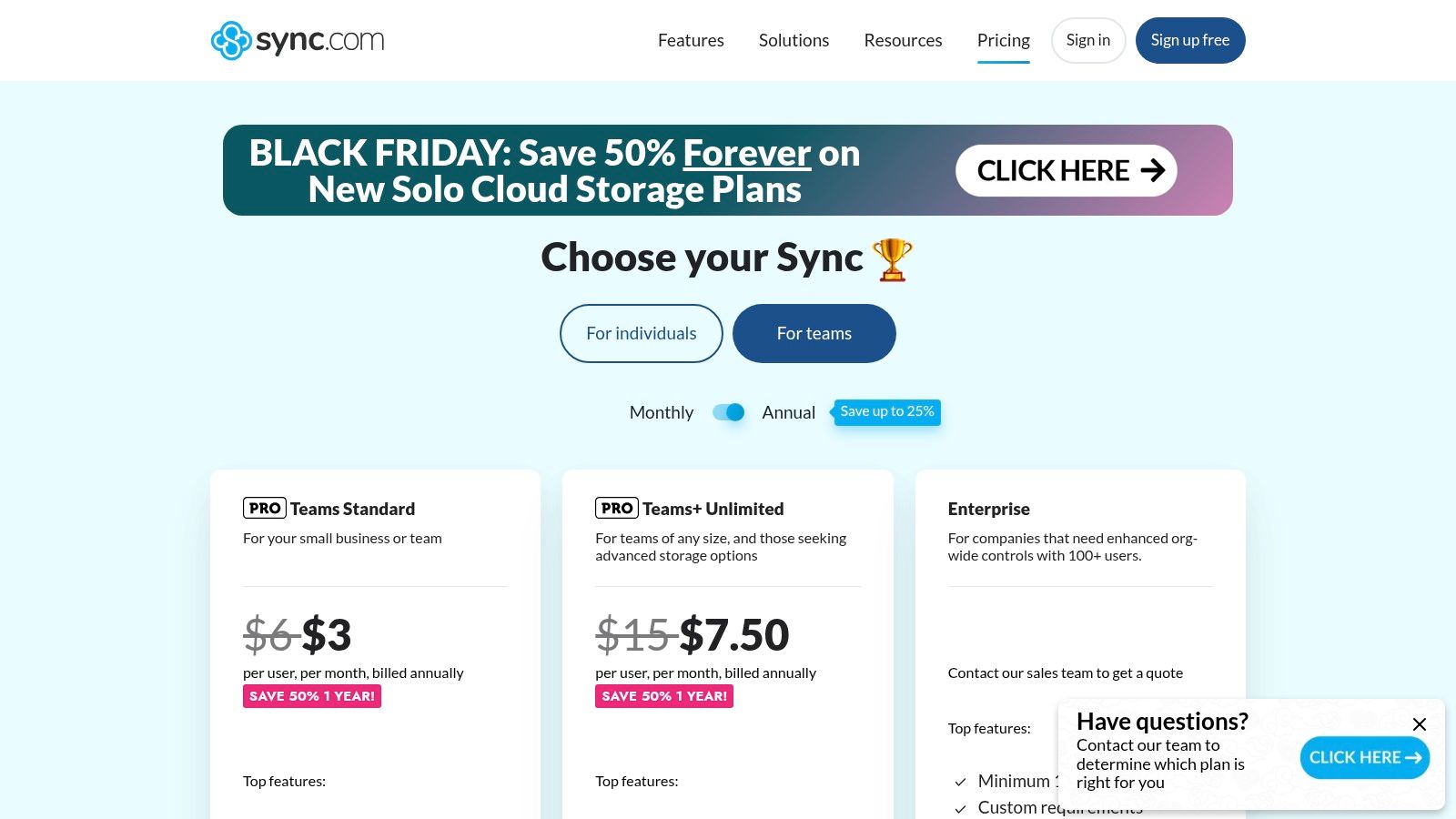
- Pricing: Teams Standard starts at a competitive $6 per user/month for 1 TB of storage. The Teams Unlimited plan ($15 per user/month) offers unlimited storage.
Our Takeaway: Sync.com is the clear winner for security-conscious small businesses that want one of the best cloud storage solutions without unnecessary frills. While it lacks the native real-time document collaboration of Google or Microsoft, its focus on privacy is unmatched. It’s a “set it and forget it” system that works reliably in the background to keep your files safe.
Visit Sync.com for Business
7. Zoho WorkDrive
For businesses already operating within the Zoho ecosystem, Zoho WorkDrive is a natural and cost-effective choice for cloud storage. It’s designed not as a standalone product but as a deeply integrated component of Zoho’s broader suite of business applications, including its popular CRM, Projects, and Mail services. This integration creates a centralized hub where team files live alongside the projects and customer data they relate to, streamlining workflows and reducing the need to jump between different platforms.
Instead of individual storage quotas, Zoho provides a pooled storage model for the entire team, which simplifies administration and ensures space is available where it’s most needed. Its unique “Team Folders” act as shared workspaces where members can collaborate with clear, granular permissions, ensuring data security and proper access control from the start.
Key Features & Considerations
- Best For: Small businesses that currently use or plan to adopt the Zoho suite of applications (CRM, Mail, Projects).
- Standout Feature: Pooled team storage and native integration within the Zoho ecosystem, linking files directly to relevant business tasks.
- Security: Offers robust admin controls, audit trails, and role-based permissions to manage data access effectively across the organization.
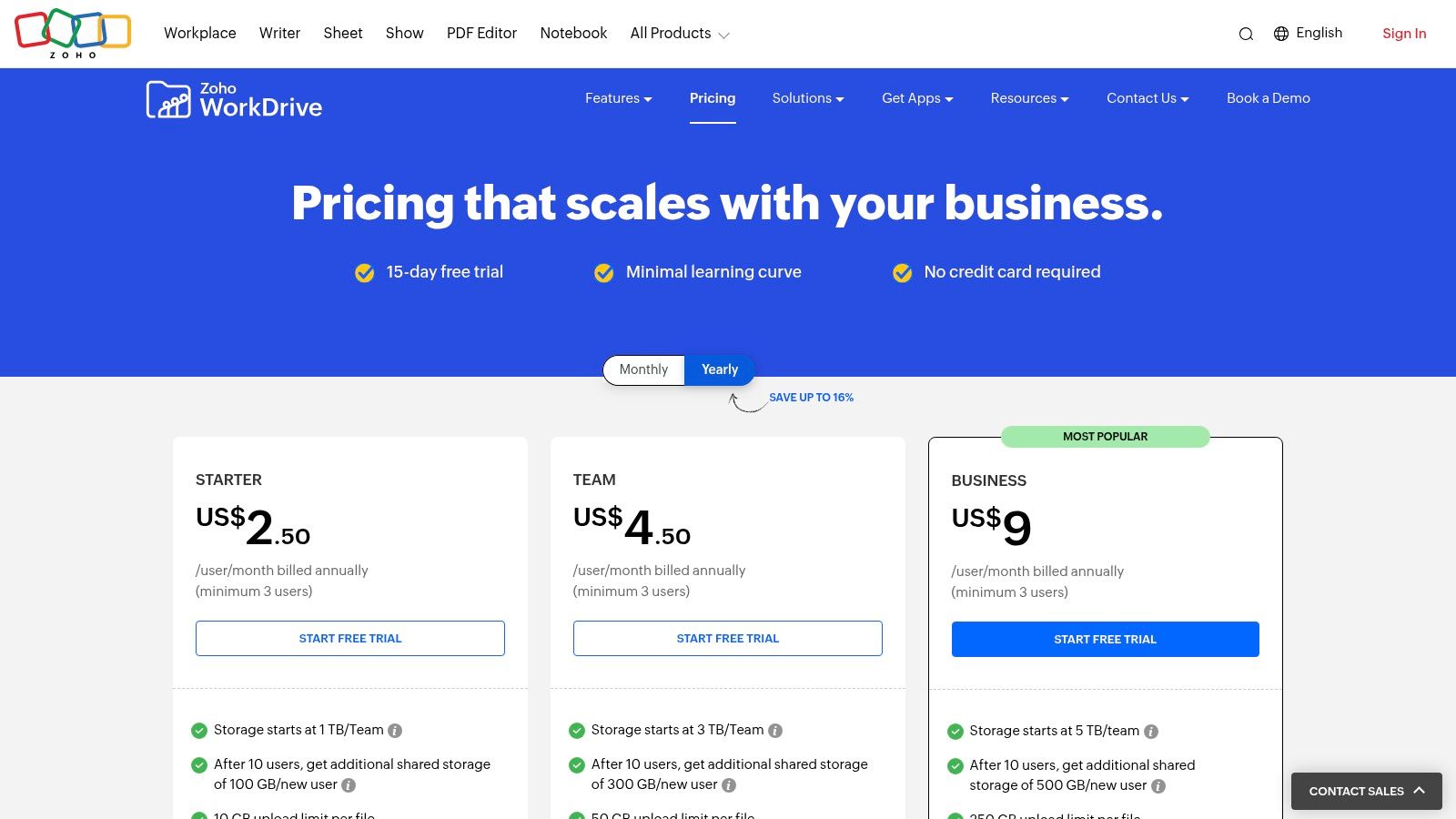
- Pricing: The “Starter” plan begins at a competitive $2.50 per user/month (billed annually) with 1 TB of shared storage for the team. The “Team” plan ($4.50) increases that to 3 TB.
Our Takeaway: Zoho WorkDrive offers exceptional value and convenience, but its primary strength lies in its ecosystem. For businesses not using other Zoho products, its third-party integration options are more limited than competitors like Google or Dropbox. However, if your team is already on board with Zoho’s powerful business tools, adopting WorkDrive is a seamless and intelligent way to manage your files and one of the best cloud storage for small business options in that context.
Visit Zoho WorkDrive
8. pCloud Business
For small businesses seeking a straightforward, user-friendly cloud storage solution without the complexity of a full productivity suite, pCloud Business is a compelling option. It focuses on doing one thing exceptionally well: providing fast, secure, and accessible storage. Its desktop app creates a virtual drive, allowing you to access terabytes of data without taking up local hard drive space, which is a significant advantage for teams with limited device storage.
This approach delivers simplicity and peace of mind, making it easy to set up and manage. The platform supports all major operating systems, including Linux, ensuring every team member has a consistent experience. With robust file versioning and sharing capabilities, pCloud provides the core features a small business needs for effective file management and collaboration, presented in a clean and intuitive interface.
Key Features & Considerations
- Best For: Teams needing simple, no-fuss cloud storage with excellent cross-platform support, especially those on mixed operating systems like Windows, Mac, and Linux.
- Standout Feature: The pCloud Drive desktop app acts as a virtual drive, providing access to all your files without syncing them locally, saving immense hard drive space.
- Security: Offers TLS/SSL channel protection and 256-bit AES encryption for files at rest. An optional add-on, pCloud Encryption, provides client-side encryption for maximum privacy.
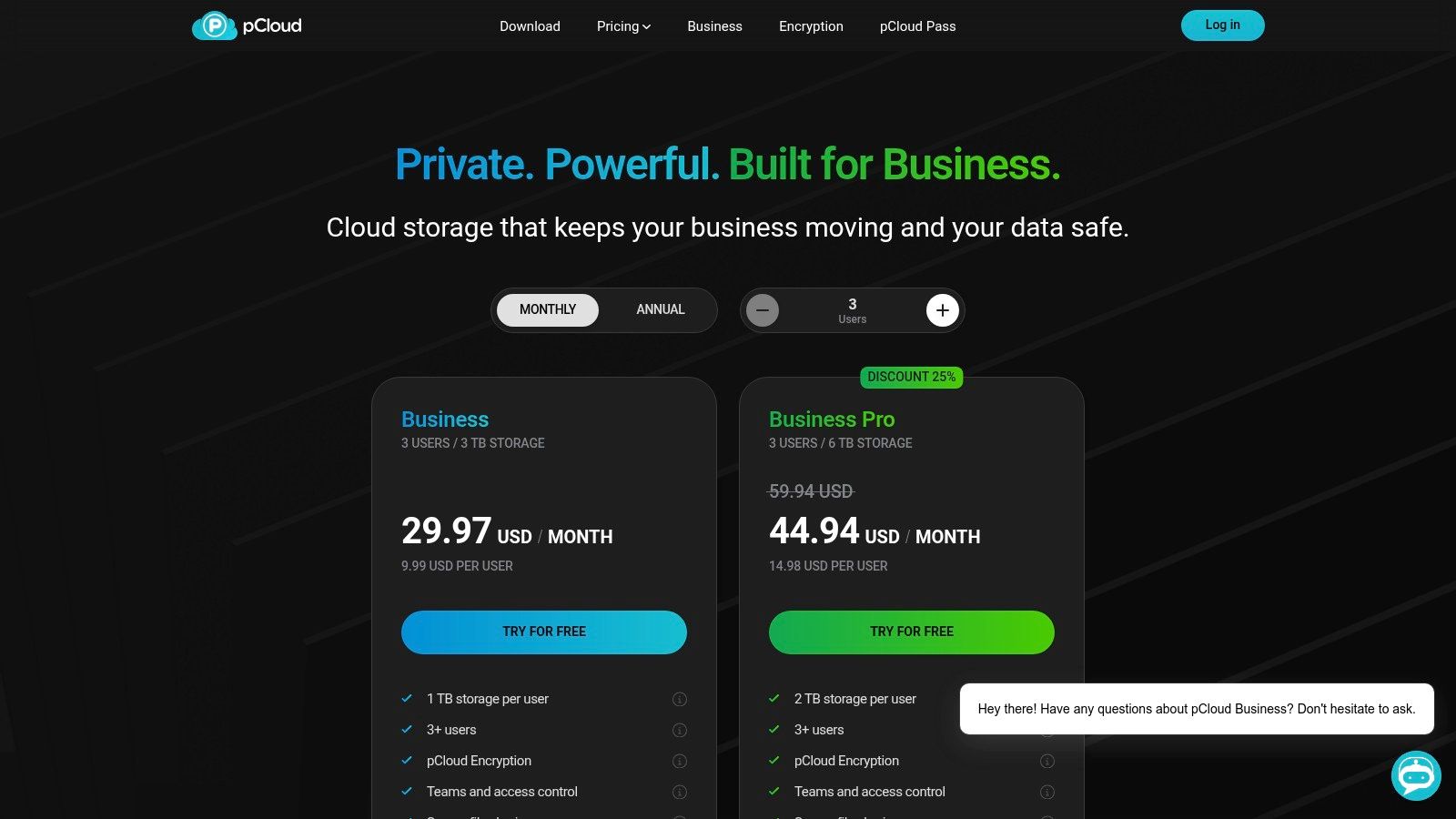
- Pricing: Business plans start at $7.99 per user/month (billed annually) for 1 TB of storage per user. A Business Pro plan at $15.98 per user/month includes pCloud Encryption.
Our Takeaway: pCloud is one of the best cloud storage options for small businesses that prioritize simplicity and affordability over a sprawling ecosystem. Its virtual drive is a game-changer for productivity on the go. While it lacks the deep app integrations of Google or Microsoft, its focus on core storage functionality makes it a lean, fast, and highly effective tool for centralizing company files.
Visit pCloud Business
9. IDrive Team & Business
For small businesses where data protection and backup are the top priority, IDrive offers a compelling and cost-effective solution. While many cloud services focus on collaboration, IDrive’s strength is in its comprehensive backup capabilities. It goes beyond simple file syncing to provide a true disaster recovery tool, allowing you to back up an unlimited number of computers, servers, and devices into a single account.
This backup-first approach provides immense peace of mind. Instead of just storing active project files, your business can protect its entire digital footprint, including server data, virtual machines, and NAS devices. While it offers basic file sharing, its core value is in securing your data against hardware failure, cyberattacks, or accidental deletion, making it one of the best cloud storage for small business options focused on security.
Key Features & Considerations
- Best For: Businesses prioritizing robust data backup and disaster recovery over real-time collaboration.
- Standout Feature: The ability to back up unlimited endpoints (computers, servers, NAS) into one centralized account.
- Security: Features 256-bit AES encryption with an optional private key, and assists with compliance for regulations like HIPAA and SOX.
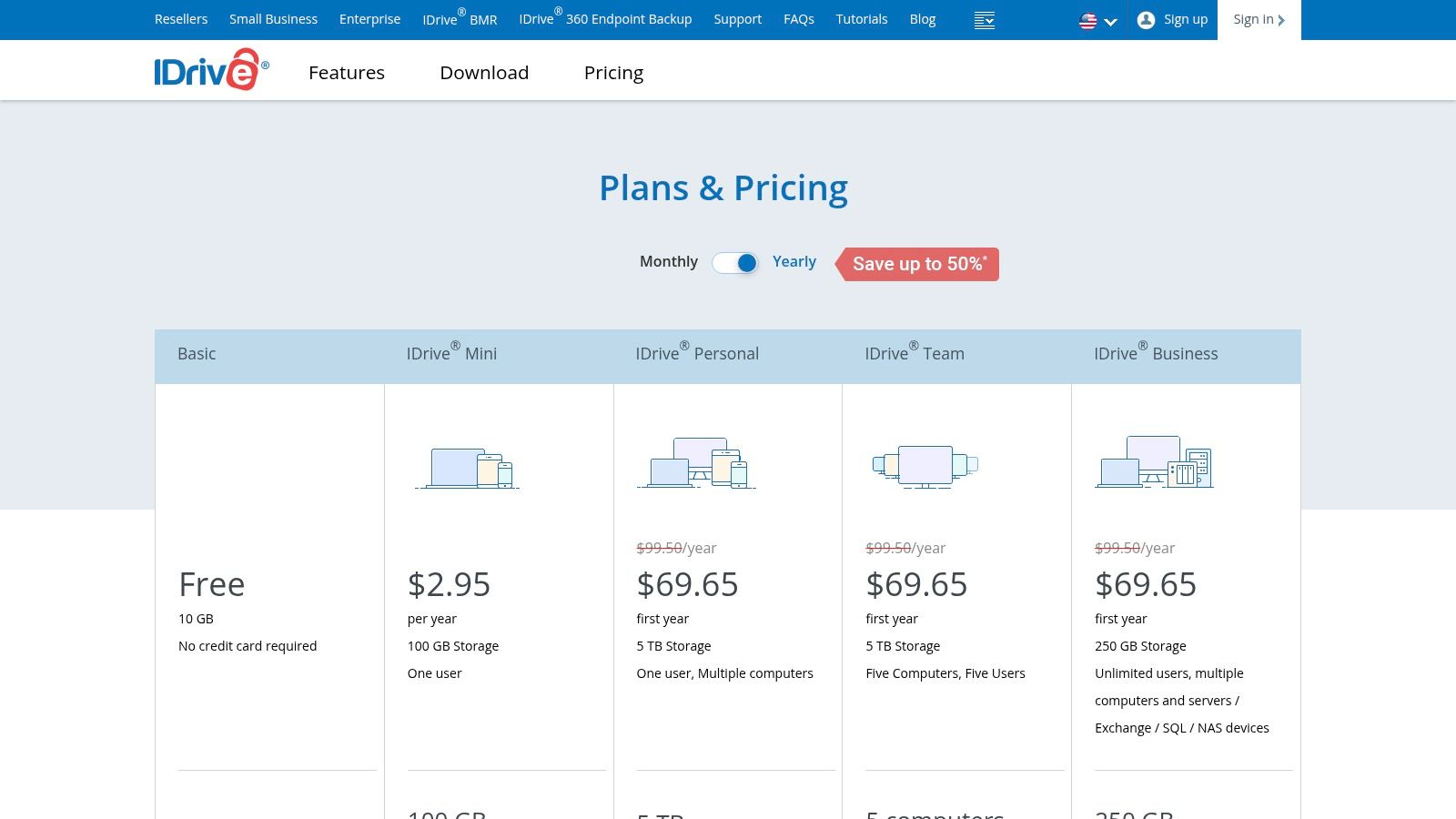
- Pricing: IDrive Team starts at $99.50/year for 5 users and 5 TB of storage. Business plans with server backup start at $99.50/year for 250 GB. Aggressive first-year discounts are common.
Our Takeaway: IDrive is a workhorse for data protection. Its user interface is more utilitarian than competitors like Dropbox, and its collaboration features are limited. However, for a small business that needs to ensure its critical data is securely backed up from multiple sources without breaking the bank, IDrive provides exceptional value and a powerful set of security tools.
Visit IDrive Team & Business
10. Backblaze Business Backup
Backblaze Business Backup isn’t a cloud storage solution for active collaboration, but it serves a critically important and different role: providing a simple, affordable, and unlimited backup safety net for all your business computers. Instead of focusing on file sharing and co-editing, Backblaze works quietly in the background, ensuring every file on your employees’ Mac and Windows workstations is securely backed up to the cloud. This provides immense peace of mind, knowing that a hardware failure, theft, or ransomware attack won’t result in catastrophic data loss.
The service is designed for set-it-and-forget-it deployment. An administrator can manage all employee accounts from a single dashboard, monitor backup status, and handle billing centrally. When a file or an entire drive needs to be recovered, the process is straightforward, with options to download files for free or have a physical hard drive shipped to you for a fee.
Key Features & Considerations
- Best For: Businesses needing a low-cost, automated disaster recovery plan for individual employee computers.
- Standout Feature: Unlimited backup storage per computer at a simple, flat-rate price, which removes any worries about data caps.
- Security: Data is encrypted on your machine before being sent to the cloud and remains encrypted at rest. It uses a private encryption key for added user control.
- Pricing: Business plans start at $9 per computer/month. Discounts are available for annual or multi-year subscriptions.
Our Takeaway: Backblaze is an essential piece of a complete data management strategy, acting as a final line of defense rather than a primary productivity tool. Its strength lies in its simplicity and affordability, making it one of the best cloud storage for small business options focused purely on backup. It’s not for team collaboration, but it’s a non-negotiable for protecting the foundational data on every machine in your company.
Visit Backblaze Business Backup
11. Wasabi Hot Cloud Storage
For small businesses with large data needs like backups, media archives, or application storage, Wasabi offers a radically different and cost-effective approach. Unlike user-focused platforms such as Dropbox or OneDrive, Wasabi is S3-compatible object storage designed for technical use cases. Its main appeal is its simple, predictable pricing model that eliminates the complex fees common with major cloud providers.
This service is not for real-time document collaboration. Instead, it provides a massive, affordable, and high-performance digital repository. Businesses that use backup software, network-attached storage (NAS) devices, or applications that can connect to an S3 API will find Wasabi to be an incredibly predictable and scalable solution for protecting critical data without surprise bills.
Key Features & Considerations
- Best For: Backups, data archiving, and as a storage backend for S3-compatible business applications.
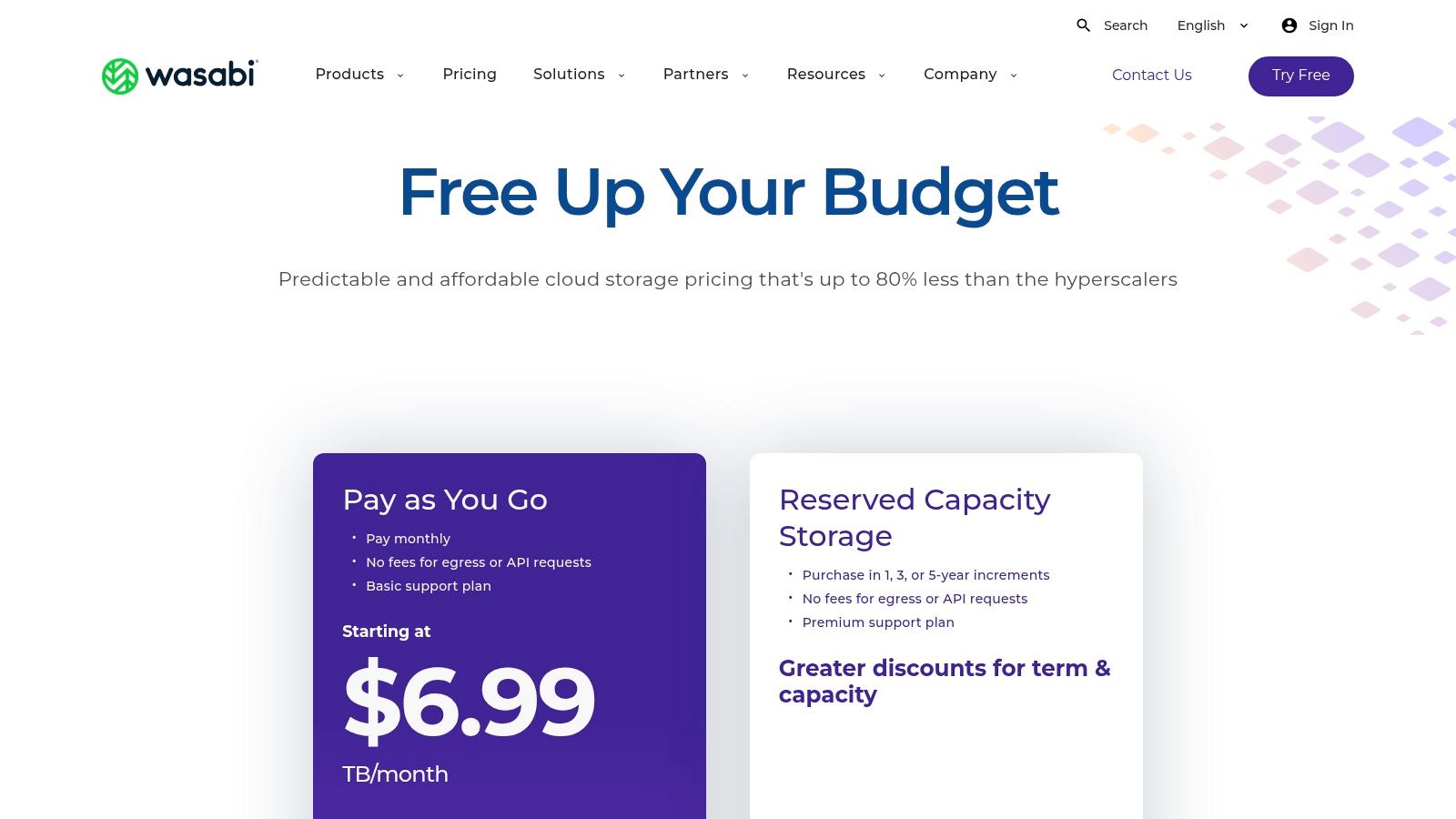
- Standout Feature: Extremely predictable pricing with no egress fees or API request charges, which is a major cost-saver compared to Amazon S3, Google Cloud, or Azure.
- Security: Provides strong security with options for creating immutable (write-once, read-many) storage buckets, perfect for ransomware protection and compliance.
- Pricing: Simple pay-as-you-go pricing starts at $6.99 per TB/month (with a 1 TB minimum). Reserved capacity plans offer further discounts.
Our Takeaway: Wasabi is a game-changer for businesses that feel trapped by the unpredictable and often high costs of traditional cloud object storage. It is not a collaboration tool but rather a core infrastructure component. Think of it as a bottomless hard drive in the cloud for your backup software and other data-heavy applications. Its simplicity provides peace of mind, making it one of the best cloud storage for small business backup needs.
Visit Wasabi Hot Cloud Storage
12. Tresorit Business
For small businesses where data privacy isn’t just a feature but a strict requirement, Tresorit Business stands out as a security-first solution. It’s built on a foundation of “zero-knowledge,” end-to-end encryption, meaning not even Tresorit can access your files. This makes it an ideal choice for industries like legal, healthcare, and finance that handle highly sensitive client information and need to comply with regulations like GDPR and HIPAA.
Unlike mainstream providers where advanced security is often an add-on, Tresorit bakes it into the core product. This focus on privacy gives business owners peace of mind, knowing their critical data is protected by default. The platform also offers control over data residency, allowing you to choose the geographic location where your files are stored to meet compliance needs. This commitment to security makes it one of the best cloud storage for small business options when confidentiality is paramount.
Key Features & Considerations
- Best For: Legal firms, healthcare providers, financial consultants, and any business handling confidential client data.
- Standout Feature: Zero-knowledge, end-to-end encryption that provides unparalleled privacy and security for stored files.
- Security: Enterprise-grade security with granular user permissions, detailed audit logs, and control over data residency.
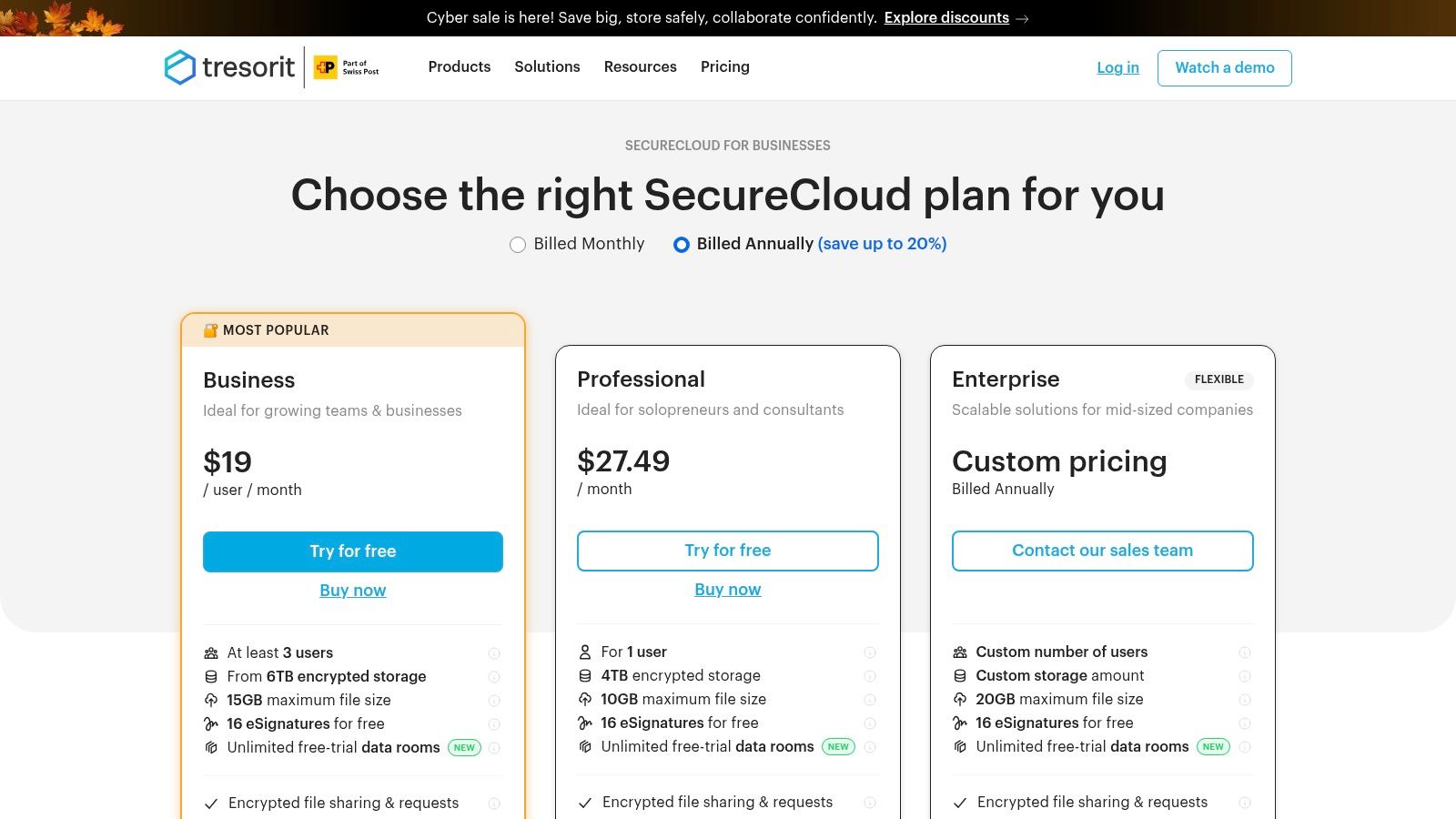
- Pricing: The Business Standard plan starts at $14.50 per user/month (minimum 3 users) for 1 TB of encrypted storage. Business Plus ($17.50) adds advanced controls and policies.
Our Takeaway: Tresorit is an investment in security and compliance. While it comes at a higher price point than general-purpose storage and lacks some of the deep collaborative editing integrations of its peers, its value is in its uncompromising privacy. For businesses that cannot afford a data breach, the premium for this level of protection is often a worthwhile and necessary expense.
Visit Tresorit Business
Top 12 Small-Business Cloud Storage Comparison
| Solution | Core features ✨ | UX & reliability ★ | Value & pricing 💰 | Target audience 👥 | Unique selling points 🏆 |
|---|---|---|---|---|---|
| Microsoft 365 (OneDrive for Business) | ✨ OneDrive 1TB/user, Office apps, SSO, compliance | ★★★★ familiar Windows/Office experience | 💰💰 per-user licensing; rich admin tools | 👥 SMBs & enterprises on Microsoft stack | 🏆 Deep Office integration + enterprise compliance |
| Google Workspace (Drive for Business) | ✨ Pooled Drive storage, real-time Docs, AI admin tools | ★★★★ simple collaboration & sharing | 💰💰 flexible pooled tiers | 👥 Teams using Gmail/Google apps | 🏆 Best real-time collaboration & Google ecosystem |
| Dropbox for Business | ✨ Reliable sync, team folders, versioning, integrations | ★★★★ seamless desktop sync | 💰💰 tiered caps; integrations add value | 👥 Creative teams, agencies, remote workers | 🏆 Superior sync & wide third‑party ecosystem |
| Box Business | ✨ Enterprise content governance, workflows, integrations | ★★★★ robust admin & secure sharing | 💰💰💰 pricier for enterprise features | 👥 Regulated SMBs / enterprises | 🏆 Strongest compliance & governance out of box |
| Egnyte | ✨ Hybrid cloud/hub, DLP, industry add-ons (AEC, life sci) | ★★★ powerful but steeper learning curve | 💰💰 annual per-user; enterprise pricing | 👥 Industry-specific teams needing governance | 🏆 Hybrid deployments + industry compliance |
| Sync.com for Business | ✨ Zero-knowledge E2EE, retention, simple admin | ★★★ easy secure UX; privacy-first | 💰💰 good value; straightforward pricing | 👥 Privacy-conscious SMBs & regulated small teams | 🏆 End-to-end encryption by default |
| Zoho WorkDrive | ✨ Team storage + Zoho suite integrations, team folders | ★★★ easy for Zoho users | 💰 affordable; competitive for SMBs | 👥 Zoho ecosystem customers | 🏆 Budget-friendly integration with Zoho apps |
| pCloud Business | ✨ Virtual drive, versioning, optional client-side encryption | ★★★ cross-platform clients (incl. Linux) | 💰💰 competitive; lifetime options for individuals | 👥 Teams needing simple cross-platform storage | 🏆 Lifetime plans & virtual drive convenience |
| IDrive Team & Business | ✨ Multi‑TB pooled backup, server/VM/NAS support | ★★★ utilitarian UI focused on backups | 💰 great introductory promos; value-focused | 👥 Businesses prioritizing backups & recovery | 🏆 Broad backup targets (servers, NAS, VMs) |
| Backblaze Business Backup | ✨ Unlimited per‑computer backup, central console | ★★★★ very simple deployment & restores | 💰 low flat pricing per endpoint | 👥 Organizations needing low-cost endpoint backup | 🏆 Unlimited endpoint backup with easy restores |
| Wasabi Hot Cloud Storage | ✨ S3‑compatible object storage, no egress/API fees | ★★★ developer/backup-focused reliability | 💰💰 cost-effective $/TB (predictable) | 👥 Backups, archives, apps using S3 | 🏆 Predictable S3 pricing with no egress fees |
| Tresorit Business | ✨ End‑to‑end encryption, SSO, audit logs, secure sharing | ★★★ secure UX; heavier workflow for edits | 💰💰💰 premium pricing for privacy | 👥 Legal, health, finance, privacy-focused firms | 🏆 Best-in-class zero-knowledge security & compliance |
Your Next Step: From Clutter to Clarity
Choosing the best cloud storage for your small business is a significant decision, but it’s one that moves you from digital chaos toward streamlined efficiency. We’ve journeyed through twelve powerful options, from the deeply integrated ecosystems of Google Workspace and Microsoft 365 to the security-first fortresses of Sync.com and Tresorit. Each platform offers a unique blend of features, pricing, and collaborative power, designed to solve different business challenges.
The right choice isn’t about finding a universally “perfect” tool; it’s about identifying the one that fits your specific workflow like a glove. Your decision marks a crucial investment in your business’s operational backbone, impacting everything from team productivity to data security and client trust. By now, you should have a clear shortlist based on the detailed comparisons and use-case scenarios we’ve explored.
Making Your Final Decision: Key Takeaways
Before you commit, let’s distill this comprehensive guide into a few core principles. Think of this as your final checklist to ensure you’re not just buying storage, but investing in a solution that grows with you.
- Ecosystem vs. Standalone: If your team lives in Google Docs or Microsoft Excel, sticking with their native cloud storage (Drive or OneDrive) is often the path of least resistance. The seamless integration can save countless hours. However, if you need best-in-class security or specific compliance features, a specialized provider like Egnyte or Box might be the smarter, more secure choice.
- True Cost Analysis: Look beyond the sticker price per user per month. Consider overage fees for storage, the cost of add-on features like e-signatures or advanced security modules, and the potential cost of migrating data later. A slightly more expensive plan that includes essential features upfront can be more cost-effective in the long run.
- Security is Non-Negotiable: For businesses handling sensitive information, like accountants or legal professionals, features like zero-knowledge encryption are not just nice to have; they are essential. Platforms like Sync.com and Tresorit build their entire reputation on this principle. Don’t compromise on security for a lower price point.
- Scalability is Future-Proofing: Your business today is not your business tomorrow. Consider how each platform handles adding new users, increasing storage, and integrating with new tools. Choosing a service that can scale easily prevents a painful and costly migration process down the line.
Beyond the Tool: The Real Path to Peace of Mind
Here’s the most critical takeaway: the best cloud storage for a small business can’t solve disorganization on its own. A powerful tool without a smart system is like a state-of-the-art library with no catalog. Files will still get misnamed, documents will be saved in the wrong folders, and you’ll waste precious time searching for information you know is there somewhere. The goal isn’t just to store files; it’s to create a system that runs itself.
The real transformation from clutter to clarity happens when you eliminate the manual, error-prone tasks of naming, sorting, and filing. This is how you achieve lasting peace of mind. By automating the organizational process, you ensure every invoice, contract, and client file lands exactly where it belongs, every single time. This turns your cloud storage from a simple digital warehouse into a dynamic, reliable business asset that saves you time and reduces mental friction, allowing you to focus on what truly matters: growing your business.
Ready to make your new cloud storage truly intelligent? Fileo connects directly to your chosen provider and uses AI to automatically name, sort, and file your documents according to your rules. Stop dragging and dropping and start building a self-organizing system today with Fileo .